Some links below are affiliate links. If you buy through one, this site earns a commission at no extra cost to you. It never changes a verdict — here is how that works.
The short version
A standing desk wobbles because you are balancing a wide, heavy top on tall, telescoping columns. The higher the desk goes, the longer that lever gets. Leg count, frame shape and crossbars decide how much it moves. Motor count mostly does not.
If you run a laptop and one monitor on a stand, a decent two-leg desk with dual motors is enough. If you run a large monitor or an ultrawide on an arm, type hard, or stand above about 46 inches, a four-leg frame or a frame with a crossbar is where the money goes. I replaced a two-leg Uplift V2 after five and a half years for exactly this reason, and I wrote up that switch in my FlexiSpot E7 Plus vs Uplift V2 comparison.
If your desk never shakes your screen, leave it alone. A stable frame costs real money and weighs a lot.
Why standing desks wobble at all
There are two kinds of movement, and they have different causes.
- Side to side (lateral). The two columns lean left and right together, like a picture frame with loose corners. This is the one a crossbar fixes.[2]
- Front to back. The top rocks toward and away from you when you type or lean. Foot length, steel thickness and how the column sits on the foot decide this one.[3]
Both get worse as the desk rises, because each leg segment overlaps the next one less at full extension. Eureka Ergonomic, which makes desks, puts the point where most people start to notice at roughly 5mm of desktop deflection.[3] That is a manufacturer’s number, so treat it as a rough marker and not a standard.
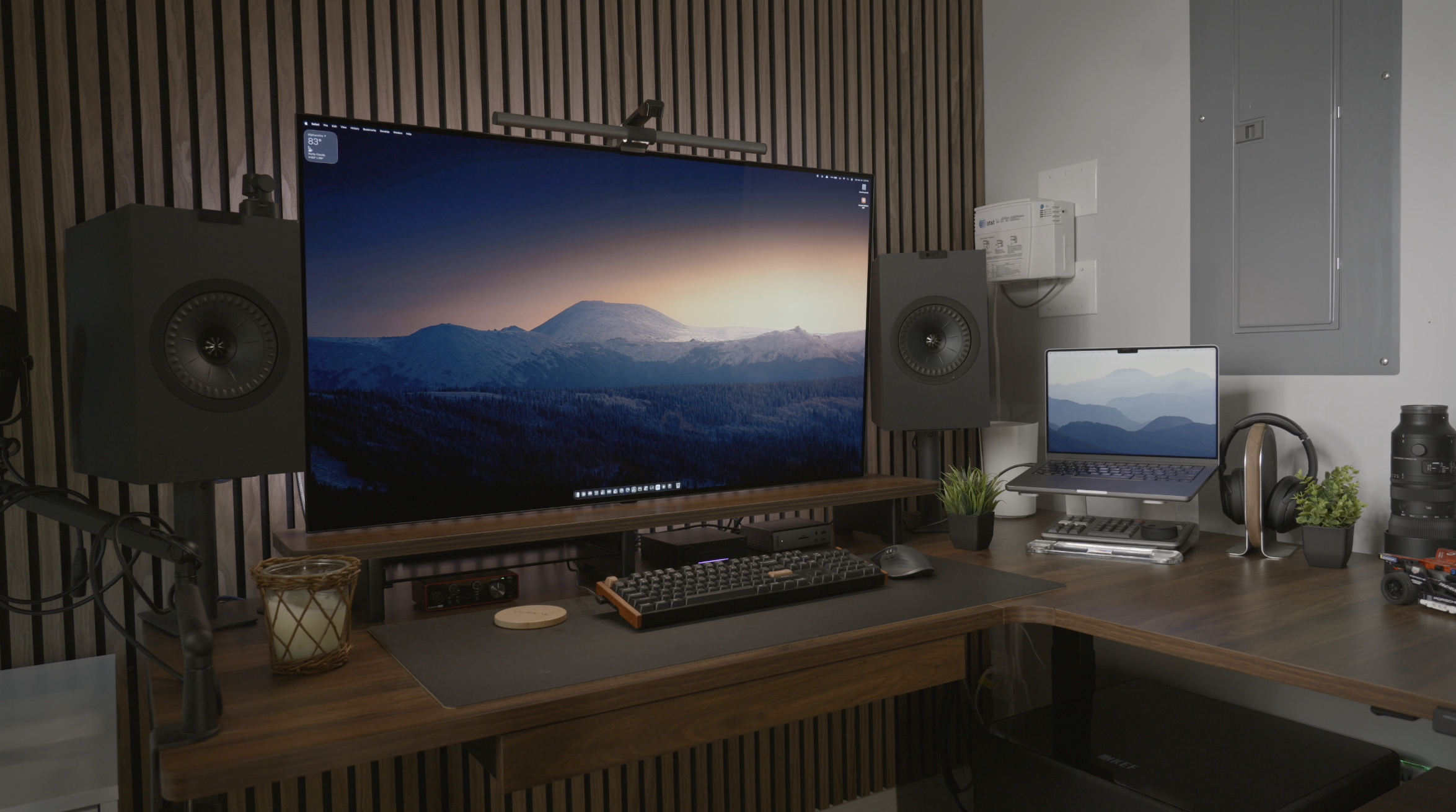
Also, what you keep on your desk can have a dramatic effect. For my at home office, I run a 48″ LG OLED on a single monitor stand that is VERY PRONE and SENSITIVE to wobble. I need an extra sturdy standing desk for that use case. If you are just using a 27″ monitor with a laptop, it can be less important.
C-frame vs T-frame
The names describe the foot. On a T-frame, the foot sticks out in front of and behind the column, and a crossbar usually ties the two legs together. On a C-frame, the column sits at the back of the foot and the front crossbar is gone.[1]
| C-frame | T-frame | |
|---|---|---|
| Foot | Extends one way, toward you | Extends both ways |
| Front crossbar | Removed | Usually present |
| Knee and chair clearance | Best | Limited by the crossbar |
| Against a wall | Sits flush | Needs a gap behind |
| Stability on very wide tops (70 inches and up) | Good at rated load | Slightly better |
That table follows Autonomous’s own comparison of the two designs.[1] The trade is simple. A T-frame lets the crossbar do some of the work. A C-frame has to make up for the missing bar with thicker columns and heavier steel, and a cheap C-frame with short feet is the classic source of front-to-back rock.[3]
A crossbar remains the cheapest way to stop side-to-side sway, and its cost is legroom and under-desk storage.[2] If you keep a drawer unit or a PC tower under the desk, check where the bar sits before you buy.
 From the shopFriction Is The Enemy$18.45Shop →
Two legs vs four legs
Four legs change the problem. Instead of two columns holding up a plank, you have a table. Each corner is supported, so the top has far less room to rock in either direction.
My own switch came after I moved to a 48-inch screen and monitor stands. On the two-leg Uplift, the screens shook while I typed. On the four-leg E7 Plus they stopped. Other reviewers landed in the same place: TechRadar and Tom’s Guide both single out the four-leg frame as the reason the E7 Plus feels planted.[5][7]
What you give up:
- Weight. A four-leg desk is a set-it-and-leave-it piece of furniture.
- Assembly. Tom’s Guide calls the E7 Plus build more involved than a two-leg desk.[5]
- Price. My E7 Plus configuration was around $1,000. A same-size two-leg desk on Amazon can be a quarter of that.
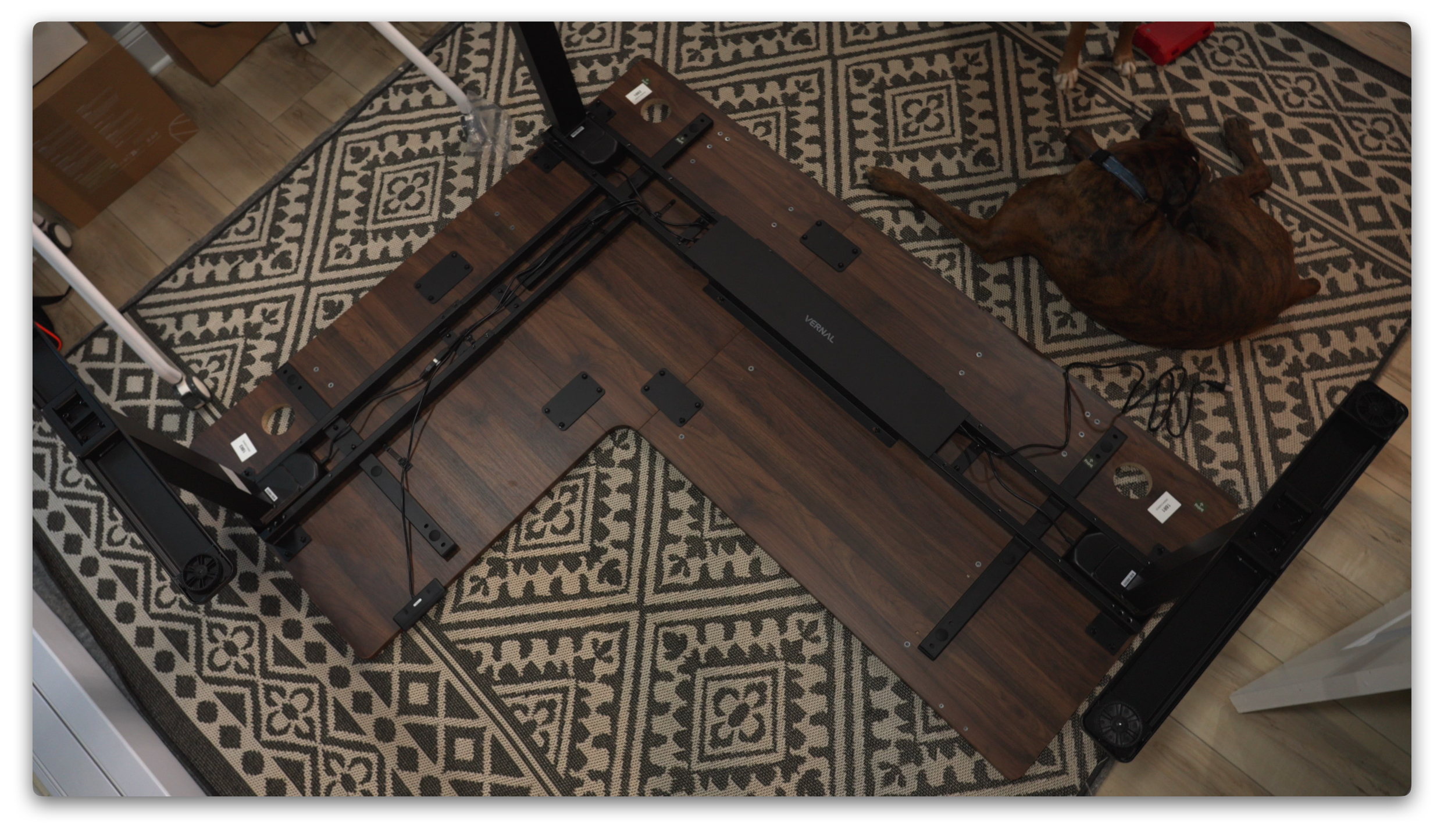
L-shaped desks sit in between. They use three legs, and the return wing braces the main run. My Vernal Core3 L-shaped review covers how that held up under a 48-inch OLED.
How many motors do you need?
Motors lift the desk. They do not hold it still. More motors buy you lifting capacity and smoother, more even travel, and that is all.
| Setup | What it means | Who it suits |
|---|---|---|
| Single motor, two legs | One motor drives both legs through a shaft | Light loads and tight budgets |
| Dual motor, two legs | One motor per leg | Most desks with one or two monitors |
| Dual motor, four legs | Two motors drive four columns | Heavy or tall setups that need stability more than lift |
| Triple motor, three legs | One motor per leg on an L-shape | L-shaped desks |
| Quad motor, four legs | One motor per leg | Very heavy loads |
The FlexiSpot line shows the split clearly. The E7 Plus uses four legs with two motors and is rated at 540 lb.[4] The E7 Plus Max keeps the four legs, goes to four motors, and is rated to lift 660 lb.[6] In my E7 Plus Max review I cover whether that extra capacity changes anything on a normal desk.
Weight capacity is still worth reading, but as a clue and not a target. Nobody loads 400 lb on a desk. A high rating tells you the columns and frame are heavily built, and heavy columns flex less at height.
Leg stages and height range
Legs come in two-stage and three-stage versions.[3] Three-stage legs have a wider travel range. The E7 Plus runs from 26 to 51.6 inches on three-stage legs.[4] The Vernal Core3 runs from 23.9 to 49.4 inches.
Buy the range you need and no more. If your standing height puts the desk near the top of its travel, the columns are at minimum overlap every time you stand, which is the worst case for wobble. A desk that tops out several inches above your standing height will feel better than one you max out.

Which frame for which setup
| Your setup | Frame to look at |
|---|---|
| Laptop, or one monitor on its own stand | Two-leg, dual motor |
| Two monitors on stands, standing under about 44 inches | Two-leg, dual motor, three-stage legs |
| Ultrawide or large screen on a monitor arm | Four-leg, or two-leg with a crossbar |
| Tall user standing near the top of the range | Four-leg, or a frame with more travel than you need |
| Big screen plus a need for open desk space | Three-leg L-shape |
| Recording video at the desk | Four-leg. Camera shake shows every bump. |
Desks I have used, and what they cost
| Desk | Frame | Motors | Rated capacity | Height range | Where to buy |
|---|---|---|---|---|---|
| FlexiSpot E7 Plus | Four legs | 2 | 540 lb[4] | 26 to 51.6 in[4] | FlexiSpot · Amazon |
| FlexiSpot E7 Plus Max | Four legs | 4 | 660 lb[6] | 26 to 51.6 in[6] | FlexiSpot |
| Vernal Core3 L-Shaped | Three legs, C-frame | 3 | 397 lb | 23.9 to 49.4 in | Vernal |
| Uplift V2 (two-leg) | Two legs | 2 | See Uplift’s current spec | See Uplift’s current spec | Amazon |
| Budget two-leg desk | Two legs | 1 or 2 | Varies | Varies | Amazon |
For price context: the Vernal Core3 L-shaped was $810 as I configured it, my E7 Plus was around $1,000, and budget two-leg desks start near $250. Prices move, so confirm before you buy.
Fix the desk you have first
Before you replace a frame, spend twenty minutes on the cheap fixes.
- Re-tighten every frame bolt. They loosen over months of height changes.
- Level the feet. Uneven glides cause rock that looks like frame flex.[3]
- Lower the monitor arm. A tall pole turns a small desk movement into a large screen movement. A stand or a shorter arm reduces it.
- Move heavy items over the legs and off the unsupported middle and front edge.
- Take the desk off casters, or lock them.
- Tidy the cabling so nothing tugs the top as it moves. My under-$20 wire management setup covers that.
If the screen still shakes after all of that, the frame is the limit.
Sizing: what height range do you need?
Height range matters twice. It has to fit your body, and it decides how much column overlap is left when you stand. Start from your standing elbow height, measured in the shoes you work in. The desktop belongs an inch or two below that point.[8] Standing elbow height runs about 60 to 63 percent of your total height, so you can estimate before you measure.[8]
The guideline most office furniture is designed to, BIFMA G1-2013, asks for a range of 22.6 to 48.7 inches, which fits people from 5’0″ to 6’4″. Anyone taller than 6’4″ needs a desk that reaches about 50 inches.[9] A thick keyboard or a wrist rest takes half an inch to an inch off your number.[8]
Here is where sizing meets wobble. The E7 Plus tops out at 51.6 inches and the Vernal Core3 at 49.4. A 6’2″ user standing at 44 inches has 7.6 inches of travel left on the E7 Plus and 5.4 on the Core3. On a desk that stops at 48.7 inches, the same person has 4.7. The more travel you leave unused, the more the leg segments overlap and the stiffer the desk feels. I would look for at least 4 inches of spare travel above your standing height.
FAQ
What height should a standing desk be for my height?
Set the surface an inch or two below your standing elbow. That works out to about 39 inches for someone 5’8″ and about 44 inches for someone 6’2″.[8]
What standing desk do I need if I am over 6’4″?
One that reaches about 50 inches, which is past the 48.7-inch top of the standard guideline range.[9] Add a few inches of spare travel on top of that, and favor a four-leg or crossbar frame, because you will be using the desk near full extension.
Do four-leg standing desks wobble less than two-leg desks?
Yes, in both directions, because every corner of the top is supported. The cost is weight, price and a longer build.
Does a dual motor make a desk more stable than a single motor?
Not directly. Dual-motor desks are usually built on heavier frames, which is why they often feel steadier, but the motors themselves only lift.
Is a C-frame less stable without the crossbar?
A well-built one is not, because the columns are made heavier to compensate.[1] A cheap one with short feet often is.[3]
Does weight capacity matter if my gear is light?
It matters as a sign of how the frame is built. You will never use the full rating, but a higher one usually comes with thicker columns.
Will a monitor arm make my desk wobble more?
It makes the wobble more visible. Movement at the desktop travels up the pole and gets larger at the screen.
Bottom line
Buy for the frame. For most desks, a two-leg, dual-motor frame with more height range than you need is enough. If you have a big screen on an arm, stand tall, or film at your desk, go to four legs or pick a frame with a crossbar. An L-shape gets you bracing and desk space together if the room fits it. And if your monitor never shakes today, spend the money on something else in the office. My home office build guide has the rest of the list.
Sources
- “C-Frame vs. T-Frame Standing Desks: Which is Right for You?” Autonomous (desk manufacturer)
- “Desk Stability: The Role of a Crossbar,” Eureka Ergonomic (desk manufacturer)
- “Standing Desk Frames: A T-Leg vs. C-Leg Guide,” Eureka Ergonomic (desk manufacturer)
- “Flexispot E7 Plus standing desk review: Four legs, no wobbling,” GamingTrend
- FlexiSpot E7 Plus review, Tom’s Guide
- FlexiSpot E7 Plus Max Standing Desk Review, CGMagazine
- Flexispot E7 Plus standing desk review, TechRadar
- “Standard Desk Height Chart by Your Height,” Autonomous (desk manufacturer)
- Height Adjustable Desks Purchasing Guidelines, University of British Columbia HR (cites BIFMA G1-2013 and CSA Z412-17)
- “Standing Desk Buying Guide for Tall Users Over 6’2″,” Eureka Ergonomic (desk manufacturer)