
Some links below are affiliate links. If you buy through one, this site earns a commission at no extra cost to you. It never changes a verdict — here is how that works.
The short version
There are three kinds of keyboard worth considering for a work desk, and they feel nothing alike.
- Low-profile boards, the laptop-style kind, are quiet, flat and familiar. They are the safe choice for shared offices and calls.
- Mechanical boards have a separate physical switch under every key. They have more travel and feedback, and you can pick how they feel and sound.
- Hall effect boards look mechanical but sense each key with a magnet. That removes the metal contact, and it lets you set how far down a key has to go before it registers.
If you are on calls all day or share a room, buy low-profile. If you type a lot and want a better feel, buy mechanical with quiet switches or Hall effect. The headline Hall effect features are aimed at gamers, and most of them do nothing for a spreadsheet. The parts that help at work are the smooth, quiet action and the adjustable actuation.
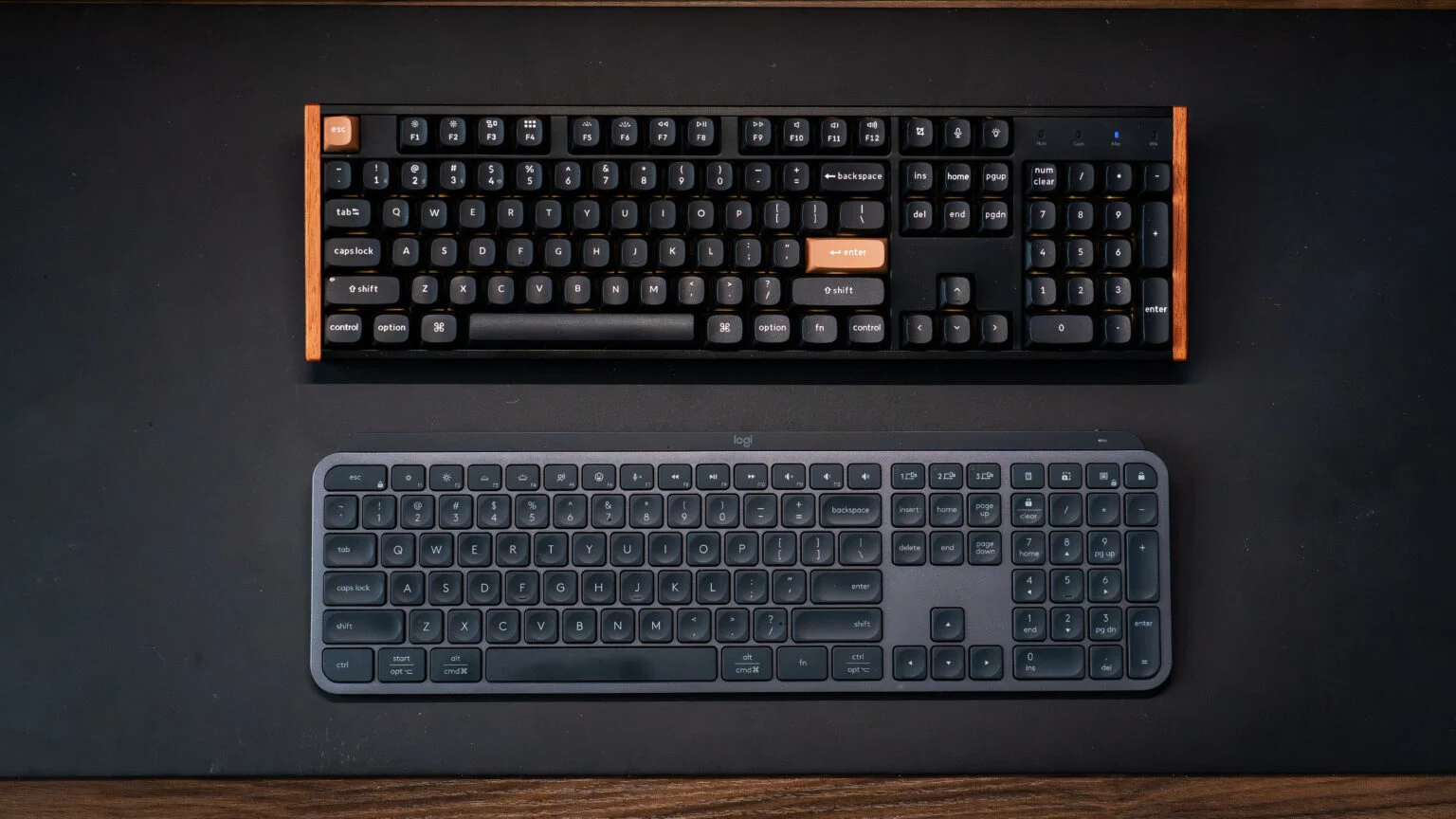
I compared one of each end of this range in Keychron K10 HE vs Logitech MX Keys S.
How each type works
Mechanical
A mechanical switch closes a circuit by pressing two metal contacts together. The keyboard sees on or off, and nothing in between. Those contacts bounce very slightly when they meet, so the keyboard waits a moment before accepting the press, which is called debounce.[2] The contact point is fixed when the switch is made.
Switches come in three broad feels. Linear switches go straight down with no bump. Tactile switches have a small bump at the point of actuation. Clicky switches add a sound to that bump. For an office, linear and tactile are the two to consider.
Hall effect
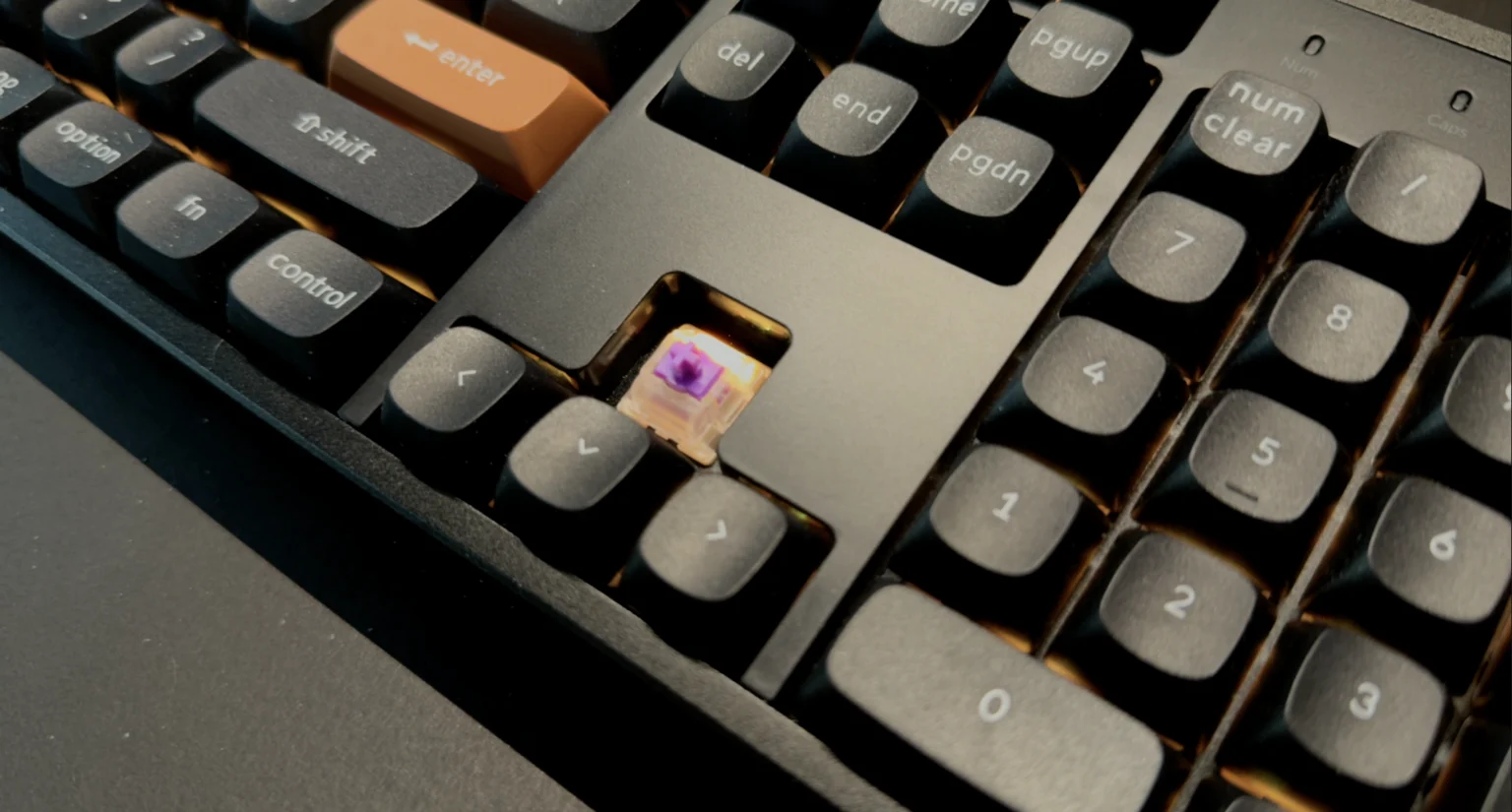
A Hall effect switch has a small magnet in the stem of each key and a sensor on the circuit board beneath it. As you press, the sensor reads how close the magnet is, continuously, through the whole stroke.[1][2] No contacts touch, so there is no debounce delay.[2]
Because the keyboard knows the key’s position at every point, software can do things a fixed switch cannot:
- Adjustable actuation. You choose how deep a press has to be, per key if you like.[2]
- Rapid trigger. A key resets the moment you start lifting it, without returning past a fixed point.[2] This is the gaming feature.
- Multiple actions on one key. A light press and a full press can do different things.[2]
The idea is older than it sounds. RTINGS points to Hall effect terminal keyboards from decades ago.[1] What is new is the price, which now overlaps with ordinary mechanical boards.
 From the shopFriction Is The Enemy$18.45Shop →
Low-profile
Most low-profile office keyboards use a scissor mechanism over a rubber dome, the same design as a laptop. Travel is short, the board sits flat, and it is quiet. There are also low-profile mechanical boards, which use shortened mechanical switches to split the difference.
What matters at a work desk
| Low-profile scissor | Mechanical | Hall effect | |
|---|---|---|---|
| Noise on calls | Quietest | Depends on the switch. Clicky is out. | Quiet with linear magnetic switches |
| Key travel | Short | Full | Full, adjustable actuation |
| Wrist angle | Flat. No wrist rest needed. | Tall. A wrist rest helps. | Tall. A wrist rest helps. |
| Battery life on wireless | Longest | Good | Shorter. The sensors are always reading. |
| Repair and customizing | None | Keycaps and often switches | Keycaps. Switches only within magnetic types. |
| Typical price | $80 to $130 | $70 to $200 | $100 to $250 |
Two rows need a caveat. Battery life and price vary a lot by model, so treat those as tendencies and check the specific board.
Does adjustable actuation help with typing?
It can, in the opposite way gamers use it. Gamers set actuation very shallow so keys fire at a touch. For typing, a shallow setting produces stray letters from resting fingers. Setting it deeper means a key only registers on a deliberate press, which cuts accidental input. If you are heavy-handed, deeper is better. If you have a light touch and want less effort per key, go a little shallower.
Rapid trigger is the feature to turn off for work. It is built for fast repeated taps in games and can cause double letters when typing.
Sizing: which layout
Layout size is the keyboard equivalent of a fit decision, and it changes your desk more than the switch type does.
| Layout | What you get | Who it suits |
|---|---|---|
| Full size (100%) | Everything, including the number pad | Finance, sales ops, anyone in spreadsheets daily |
| 96% | Number pad kept, keys packed tighter | Number pad users with a small desk |
| Tenkeyless (80%) | No number pad. Arrow and navigation keys kept. | Writers and developers. Brings the mouse closer. |
| 75% | Function row and arrows, in a compact block | Laptop-style typists who want a small footprint |
| 65% and smaller | No function row | Travel and minimal desks. Hard work for shortcuts. |
The number pad is the real question. Dropping it moves your mouse several inches toward the center of your body, which is easier on the shoulder over a long day. Keeping it is worth it if you enter numbers for a living. If you are unsure, a 96% board keeps the pad in less space.
Checks before you order
- Mac or Windows layout. Look for Mac keycaps in the box and a switch for the modifier keys if you use both.
- Connections. Bluetooth with multiple device slots lets one keyboard serve a work laptop and a personal one. A 2.4 GHz dongle is steadier. A wired option is the fallback.
- Height. A tall mechanical board with no wrist rest bends your wrists back. Budget for a rest. My home office ergonomics guide covers desk and wrist position.
- Software. Hall effect settings live in the maker’s app or a web tool. Check that it runs on your operating system and that settings save to the keyboard itself.
- Company laptops. Some workplaces block configuration software. Set the keyboard up on a personal machine first.
Keyboards to look at
| Keyboard | Type and layout | Good for | Where to buy |
|---|---|---|---|
| Keychron K10 HE | Hall effect, full size | Number pad users who want a quiet mechanical feel | Amazon |
| Logitech MX Keys S | Low-profile scissor, full size | Calls, shared offices, multi-device | Amazon |
| Logitech MX Keys Mini | Low-profile scissor, compact | Small desks and travel | Amazon |
| Keychron low-profile mechanical (K Max series) | Low-profile mechanical, several sizes | Mechanical feel at a flatter height | Amazon |
| Keychron Hall effect, smaller layouts | Hall effect, 75% to tenkeyless | Hall effect without the number pad | Amazon |
| Wrist rest | Accessory | Any full-height board | Amazon |
Only the first two rows are boards I have written about first-hand. The rest are listed by type so you can see what the category looks like. Model lines change often, so check the current version and its switch options.
Mechanical switch feel at a glance
| Switch type | Feel | Sound | Office verdict |
|---|---|---|---|
| Linear | Smooth, straight down, no bump | Quietest of the three | Good for shared rooms and calls |
| Tactile | A small bump where the key registers | Moderate | Good for typists who want feedback |
| Clicky | A bump plus a click | Loud | Private office only |
| Magnetic (Hall effect) | Linear, with adjustable actuation | Quiet | Good anywhere a linear switch is |
Most of the noise from any of these comes from the key bottoming out against the board and springing back, not from the switch mechanism. That is why case construction, foam inside the board and a desk mat under it change the sound as much as the switch does.
Setting up a Hall effect board for typing
- Turn rapid trigger off for your work profile.
- Start actuation near the middle of the stroke. A standard mechanical switch registers at about 2 mm of a 4 mm travel, so that setting will feel familiar.
- Type a few paragraphs and look at your errors. Stray extra letters mean actuation is too shallow, so go deeper. Missed letters mean it is too deep.
- Set the keys you hit by accident deeper than the rest. Caps Lock and the keys around the space bar are the usual ones.
- Save the profile to the keyboard, so it follows you to a work laptop that cannot run the software.
FAQ
What actuation point is best for typing?
Start around 2 mm, which matches a standard mechanical switch, then go deeper if you get stray letters and shallower if keys feel like work.
Is a Hall effect keyboard worth it if I do not game?
It can be, for the smooth quiet action and the ability to tune actuation. If you do not plan to change any settings, a mechanical board with quiet linear switches gets you most of the feel for less money.
Are Hall effect keyboards good for typing?
Yes. The switches are smooth and usually quiet, and you can set actuation deeper to cut accidental presses. Turn rapid trigger off.
Are mechanical keyboards too loud for calls?
Clicky ones are. Linear and tactile switches on a well-damped board are fine for most microphones, especially a headset or a mic with noise suppression.
Do Hall effect switches last longer?
They have no metal contacts to wear or corrode, which removes the usual cause of a failing mechanical key.[1][2] The rest of the keyboard ages the same as any other.
Can I put Hall effect switches in my mechanical keyboard?
No. The sensing is done by the circuit board, so the keyboard has to be built for magnetic switches.[1]
Should I get a number pad?
Only if you enter numbers daily. Without it your mouse sits closer in, which is more comfortable for most people.
Bottom line
Choose the layout first, because it changes your desk every day. Then choose the type by where you work. Low-profile is the answer for shared rooms and constant calls. A quiet mechanical or Hall effect board is the upgrade if you type for hours and have a room to yourself. Hall effect is worth the extra when you want to tune how the keys respond, and you can ignore most of what the box says about gaming.
Sources
- “What Is A Hall Effect Keyboard?” RTINGS
- “Hall Effect Keyboards Explained,” Corsair (keyboard manufacturer)