
Some links below are affiliate links. If you buy through one, this site earns a commission at no extra cost to you. It never changes a verdict — here is how that works.
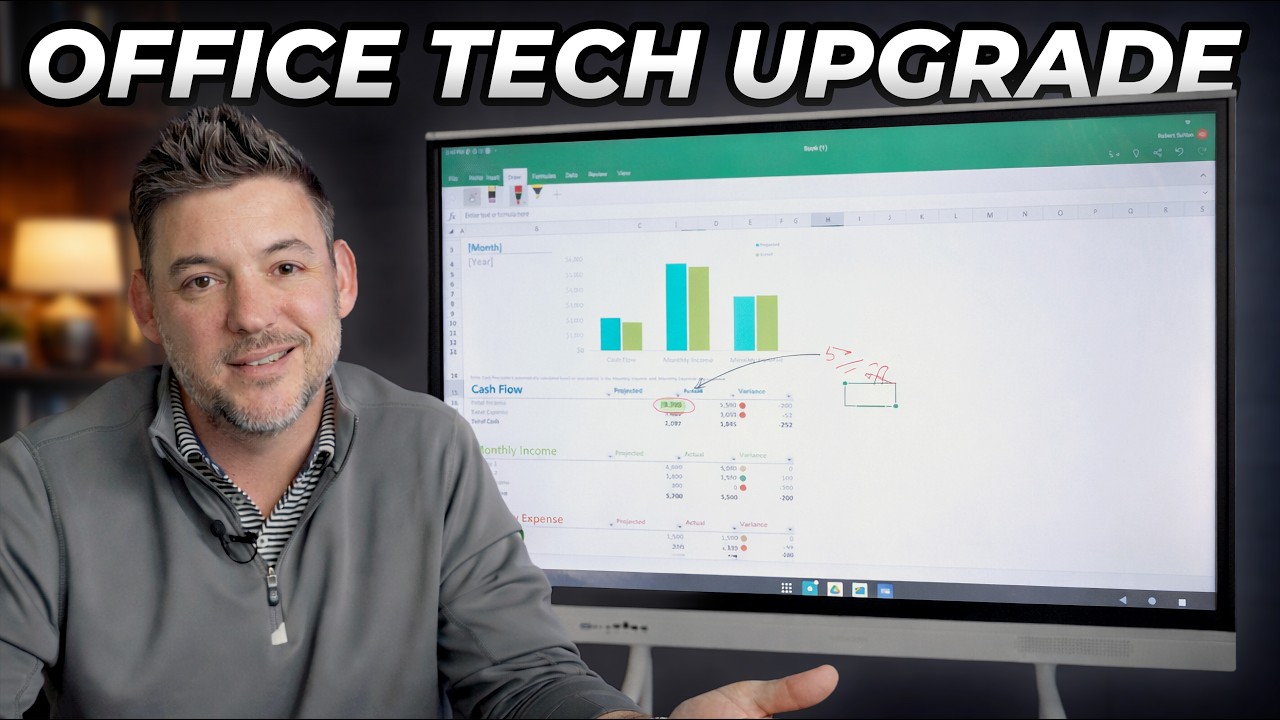
At $1,799.99, this is the first smart board that makes the incumbents look like they’re charging for the logo.
Walk into almost any school or conference room built in the last fifteen years and you’ll find some version of the same story: an expensive interactive display anchored to a wall, paired with a subscription the IT department is quietly trying to cancel, running software that hasn’t been meaningfully updated since the Obama administration. The board itself may be fine. The ecosystem around it is a trap.
That’s the market the NewBoard E-Series (NB-55E1D-AM-W) is walking into — and it’s walking in with a very specific argument. Strip out the proprietary software moat. Run standard Android 14. Charge roughly a third less than the entrenched competitors. Let the customer decide what apps belong on their board.
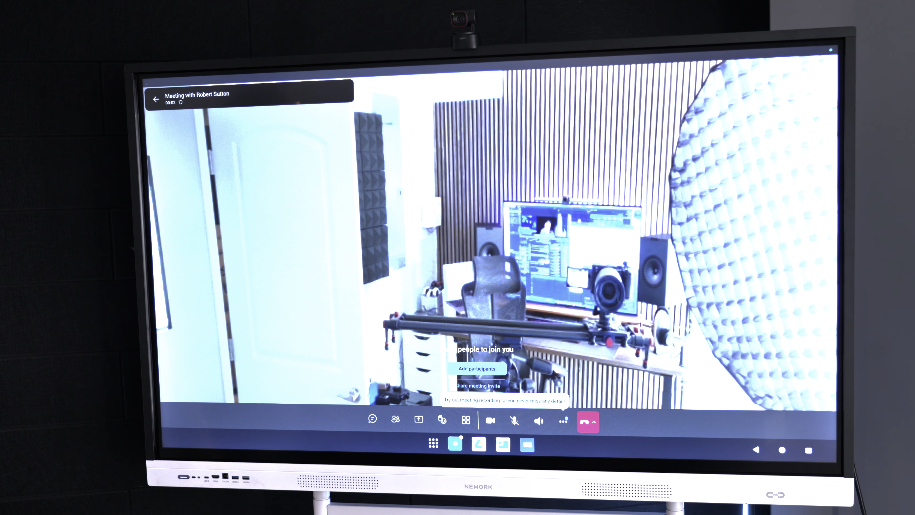
It’s a compelling pitch. After putting the 55-inch model through its paces — in a 24-student middle school classroom, a 10-person conference room, and a hybrid standup where half the team was remote — I can tell you it’s also a compelling product. With a few asterisks worth knowing before you pull the trigger.
Nework E-Series Smart Board – Get 5% off with Discount Code “RMWJJE2JWM” – https://bit.ly/4bQgSEy
Nework E-Series on Amazon – https://amzn.to/41fAcVA
The Android Tablet That Ate the Whiteboard
To understand what NewBoard is actually selling, it helps to know what came before it.
The first generation of “smart boards” were projector-based: a passive touch surface connected to a ceiling-mounted projector and a dedicated PC. Revolutionary in concept, maddening in practice. The shadow you cast walking up to the board. The bulb that dimmed over 18 months. The recalibration ritual that became its own classroom time sink.
Generation two moved to flat panels — basically large commercial TVs with an infrared touch layer bolted on. Better. Brighter. But they almost universally ran unofficial, uncertified Android builds with no Google Play Store access, which meant you were dependent on whatever the manufacturer decided to preload. Want Microsoft Teams? Good luck.
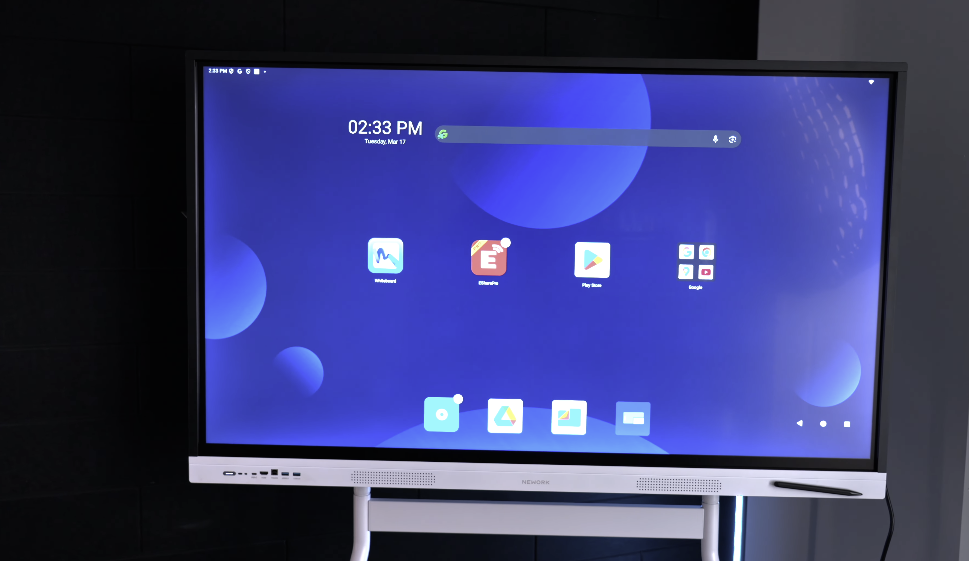
The NewBoard E-Series is generation three: a self-contained computing endpoint running certified Android 14, with an 8-core processor, 8GB of RAM, and optional Google EDLA (Enterprise Device Licensing Agreement) certification that gives you full, legitimate Play Store access. Think of it less as a “smart board” and more as a 55-inch Android tablet that happens to be mounted on your wall.
| Generation | Defining Technology | Core Problem |
|---|---|---|
| Gen 1: Projector IWB | Touch surface + external PC + projector | Shadows, bulb degradation, constant recalibration |
| Gen 2: Early Flat Panel | Integrated LCD + IR touch layer | Unofficial Android, no Play Store, software dead ends |
| Gen 3: Intelligent Display | On-board SoC + certified Android 14 | None of the above |
What $1,799 Actually Gets You
The panel runs at 4K UHD (3840 x 2160), which matters more than it sounds. At the 55-inch size, fine text — a math formula, a dense slide deck, a document being reviewed by a team — renders cleanly at distances as short as three feet. In the classroom testing, students in the front row could read handwritten annotations without leaning in. At the 1080p standard of previous-generation boards, that same content softened in the front rows.
The price is the headline worth sitting with for a moment. The SMART Board MX055-V5 — a direct competitor at the same 55-inch size with broadly similar specs — lists at $2,665.85. The NewBoard comes in at $1,799.99. That’s nearly $900 back in a school district’s budget per room, which at any scale starts to buy additional hardware or fund the next room entirely.
 From the shopPermanently in BETA$18.45Shop →
| Model | Price | Touch Points | RAM | Built-in Mic/Camera |
|---|---|---|---|---|
| NewBoard 55E | $1,799.99 | 10-point IR | 8GB | No |
| SMART Board MX055-V5 | $2,665.85 | 32-point HyPr | 8GB | Mic array, no camera |
| Vibe Board S1 (55″) | ~$1,999 | 20-point IR | 4GB | Camera + mic |
| Samsung Flip Pro WM55B | ~$2,299 | 20-point InGlass | N/A | No |
On brightness — the 55-inch model is rated at 320 cd/m², which positions it solidly in the “comfortable for standard indoor lighting” zone. In the conference room setup — overhead fluorescents, no direct sunlight — content was consistently legible from across a 12-foot table. Worth noting: if you’re eyeing the 65-inch or 75-inch siblings, those step up to 450 nits, which handles more aggressive ambient light. For a room you can control, 320 is fine. For a boardroom with a south-facing window wall, size up.
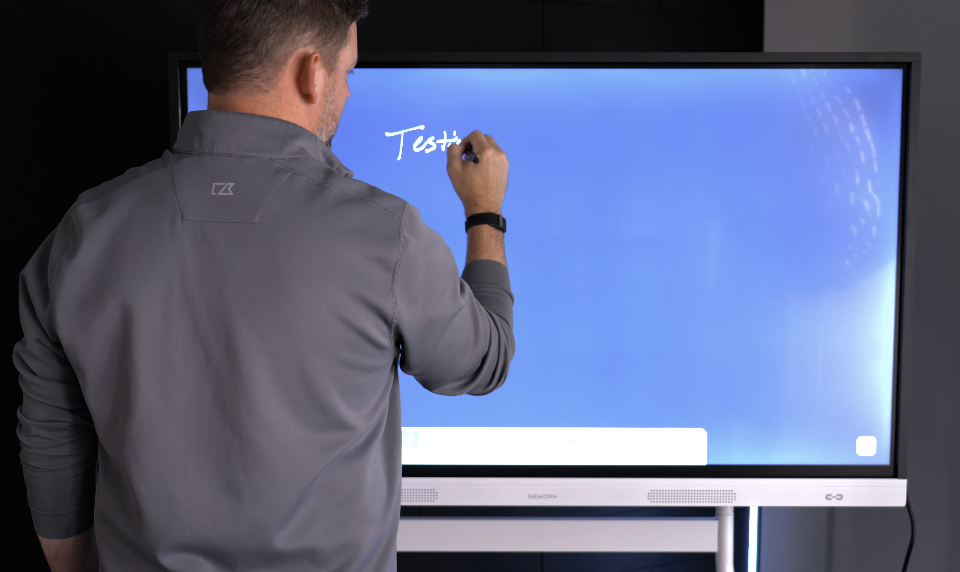
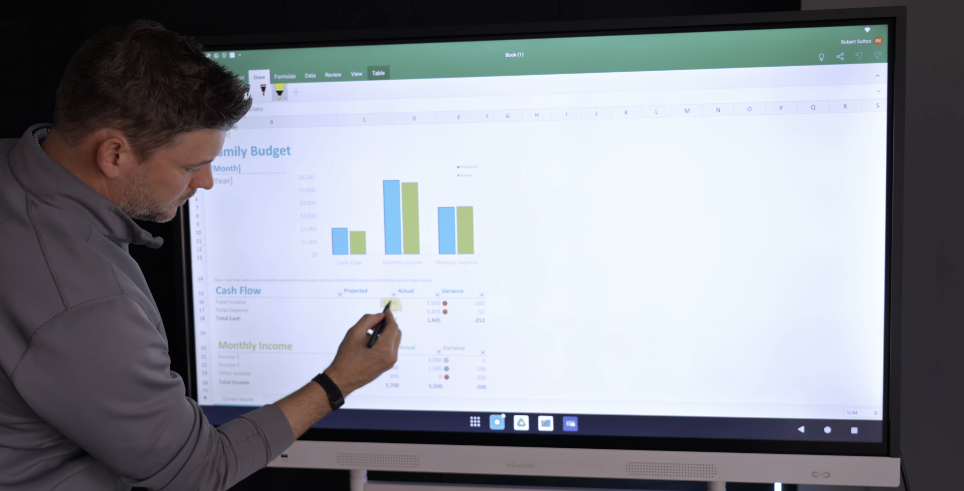
On the touch experience — the system uses infrared touch with intelligent palm, finger, and stylus recognition. In the classroom, I watched a teacher write a geometry proof with the stylus, navigate to a YouTube explainer with her finger, and erase a section by pressing her palm flat — no mode switching, no toolbar hunting, no lag. That fluidity is real. Latency is low enough that the writing experience doesn’t feel like you’re fighting a delay. Ten simultaneous touch points means two students can work the board at once without the system getting confused — a basic requirement for collaborative use that earlier-generation boards routinely fumbled.
On the audio — two forward-firing 16-watt speakers aimed at the audience rather than the floor. In the classroom, a video playing at 60% volume carried clearly to the back row without distortion. In a small-to-medium conference room it’s completely adequate for presentations. It’s not a system you’ll mistake for proper AV, but it handles the use case without embarrassing itself.
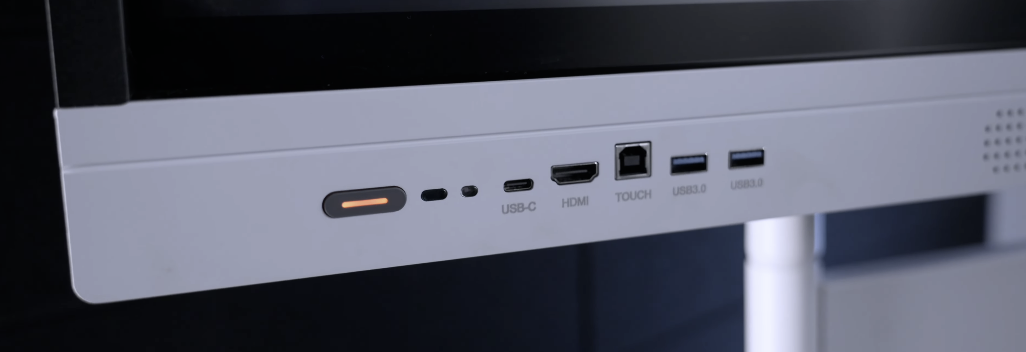
On connectivity — the port selection is genuinely complete. The USB-C input runs at 65W power delivery, which means you can connect a laptop with a single cable and get video, touch data, audio, and a charge all at once. In the hybrid standup, that single-cable setup meant the presenting laptop was live in about 10 seconds from walking into the room — no HDMI adapter hunting, no separate charging cable. Three HDMI inputs, five USB-A ports, DisplayPort, and VGA ensure you’re not leaving older hardware stranded. Wi-Fi 6 and Bluetooth 5.2 round out the wireless stack.
| Feature | Spec | What It Means in the Room |
|---|---|---|
| Panel | 55″ 4K LCD (3840 x 2160) | Sharp text and images from 3 feet away |
| Brightness | 320 nits (typical) | Good for standard indoor lighting |
| Contrast | 5000:1 | Deep blacks for video and slides |
| Color | 81.58% NTSC | Accurate color for media review and design work |
| Touch | 10-point IR, pen/finger/palm recognition | Two users can collaborate simultaneously |
| OS | Android 14 (EDLA optional) | Full Play Store access when EDLA-configured |
| CPU / RAM / Storage | 8-core / 8GB / 64GB | Handles true multitasking and split-screen without lag |
| Audio | 2x 16W forward-firing | Audible throughout a small-to-medium room |
| USB-C | 65W Power Delivery | Single-cable laptop connection |
| Wireless | Wi-Fi 6 + Bluetooth 5.2 | Future-proof networking |
| Weight | 55.45 lbs (net) | Two-person install; stable on a mobile cart |
Living With the Software
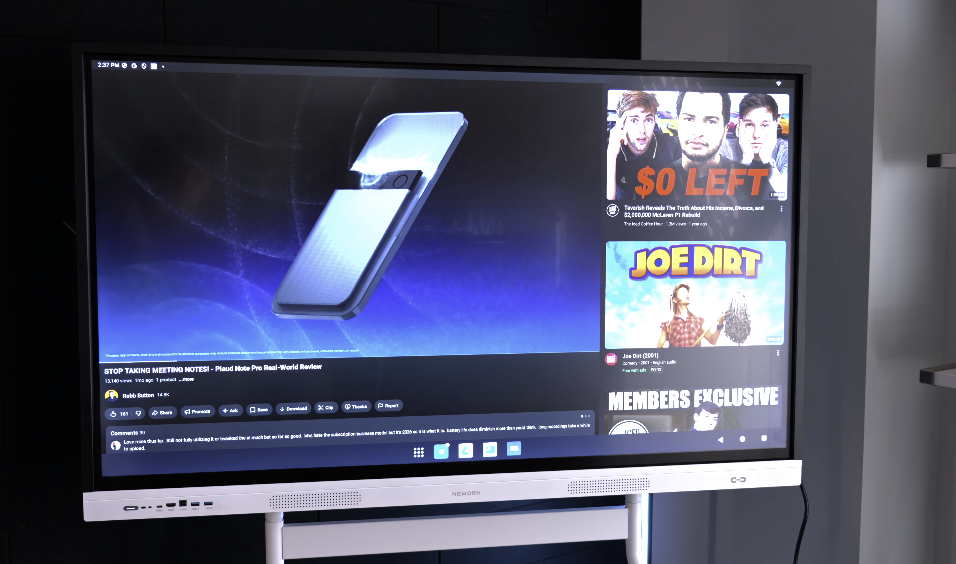
The Android 14 foundation is where this product earns its premise. With EDLA certification enabled, the NewBoard behaves exactly like an official Android device — open the Play Store and download Microsoft Teams, Zoom, Google Classroom, Kahoot, or anything else that runs on Android. There’s no waiting for the manufacturer to approve an app update. There’s no proprietary app format to navigate. If it runs on Android, it runs here.
On wireless casting — this is where the board surprised me most. The built-in EShare supports up to 16 simultaneous device connections on-screen at once. In the classroom peer review session, I had eight students cast their screens to the board at the same time. The teacher could tap any thumbnail to bring that student’s work full-screen, then switch to another student in two seconds. No cables, no “who has the dongle” moment, no student walking up to plug in. That workflow — every student’s screen available at a glance, any one of them a tap away from full display — is legitimately different from anything a traditional board offers, and it’s a feature you’ll build lessons around once you see it work.
In the conference room context it’s equally practical: every person in a standup can share their screen for a quick 30-second callout without touching a cable, which turns what’s usually a production into something that just happens.
The EDLA certification being listed as optional on the 55-inch model is worth clarifying before you order. Confirm with your vendor that it’s included in your specific configuration — Play Store access is essentially the whole software value proposition, and you want that confirmed in writing before purchase.
The Honest Part
The 55-inch model is where NewBoard made deliberate trade-offs to hit its price point, and most of them are worth knowing upfront.
The glass surface is rated at 8H hardness — solid scratch resistance for daily classroom or office use — but it lacks the anti-fingerprint coating that the 65-inch and 75-inch models carry. After a week of classroom use, the fingerprint accumulation on the lower portion of the screen — the zone students reach most often — was visible and required daily cleaning. It’s a maintenance consideration, not a dealbreaker, but factor it into your cleaning routine expectations.
The 10-point touch ceiling is the other meaningful scale-down from the larger models, which support 50-point touch. For most classroom and conference room use cases — two people annotating simultaneously, standard multi-touch navigation — 10 points is sufficient. If you’re running scenarios where four or five students are simultaneously writing on the board, the 65-inch model earns its premium.
The most significant omission is the one the marketing doesn’t dwell on: there is no camera, no microphone array.For pure whiteboarding, annotation, and app use, that’s irrelevant. But if you’re deploying this as a video conferencing endpoint, budget an additional $150–400 for a USB webcam and mic bar. The 65W USB-C port makes the physical connection seamless — but that peripheral cost is real and needs to be in your total budget from day one. The Vibe Board S1 includes a built-in camera and mic for around $200 more; if conferencing-ready out of the box is a hard requirement, that gap closes fast.
IR touch also has a fundamental limitation compared to active digitizer technology: no pressure sensitivity. Writing feels natural and responsive, but you won’t get line variation from pen pressure the way you would on a Samsung Flip Pro or a Wacom-based surface. For annotation and whiteboarding, this is a non-issue. For creative and design workflows that depend on pen pressure, it’s a category mismatch.
Who This Is Actually For
The 55-inch NewBoard is the right call for a K-12 classroom that wants a capable, app-agnostic board without paying SMART Technologies prices. It’s the right call for an SMB conference room that needs a clean single-cable setup for presentations and the flexibility to add conferencing hardware on their own terms. It’s the right call for any buyer who’s been burned by proprietary ecosystems and wants a board that runs standard Android — full stop.
It is not the right call if you need built-in conferencing hardware in an all-in-one package. It is not the right call if your use case depends on pen pressure sensitivity, or if your room has serious ambient light challenges that demand 400+ nits of brightness.
For everyone else — the school that’s been looking at SMART pricing and wincing, the small business that just needs a great shared screen in a huddle room — this board delivers on its core argument. Capable hardware, open software, $866 less than the SMART Board equivalent.
The smart money is finally on the smart board that doesn’t make you pay for its ecosystem.
Nework E-Series Smart Board – Get 5% off with Discount Code “RMWJJE2JWM” – https://bit.ly/4bQgSEy
Nework E-Series on Amazon – https://amzn.to/41fAcVA