
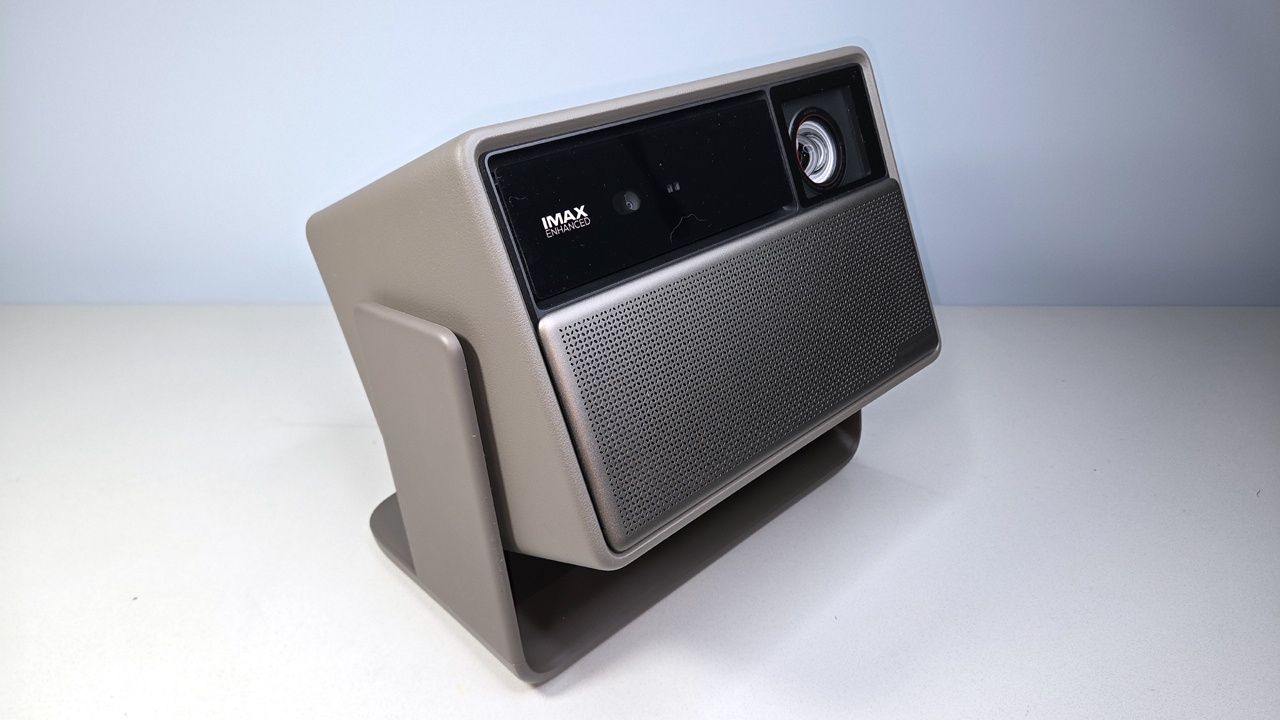
One is the most capable DLP projector XGIMI has ever built. The other is the brightest living room projector you can buy. Together, they make a compelling case that the old guard of home cinema should be nervous.
For the past decade, buying a projector meant making a choice you couldn’t walk back. You either bought a Sony or a JVC — spent $5,000 to $10,000 on a massive, room-hungry machine that required professional calibration and blackout curtains to earn its price tag — or you bought something from a “lifestyle” brand that looked great in a product photo and compromised in every dark corner of a real room. There was no middle.
XGIMI made its name in that second camp. Compact, smart-integrated projectors with Google TV baked in, automatic keystone correction, and specs that looked impressive until you actually dimmed the lights and watched something with shadows in it. Good products. Never great ones.
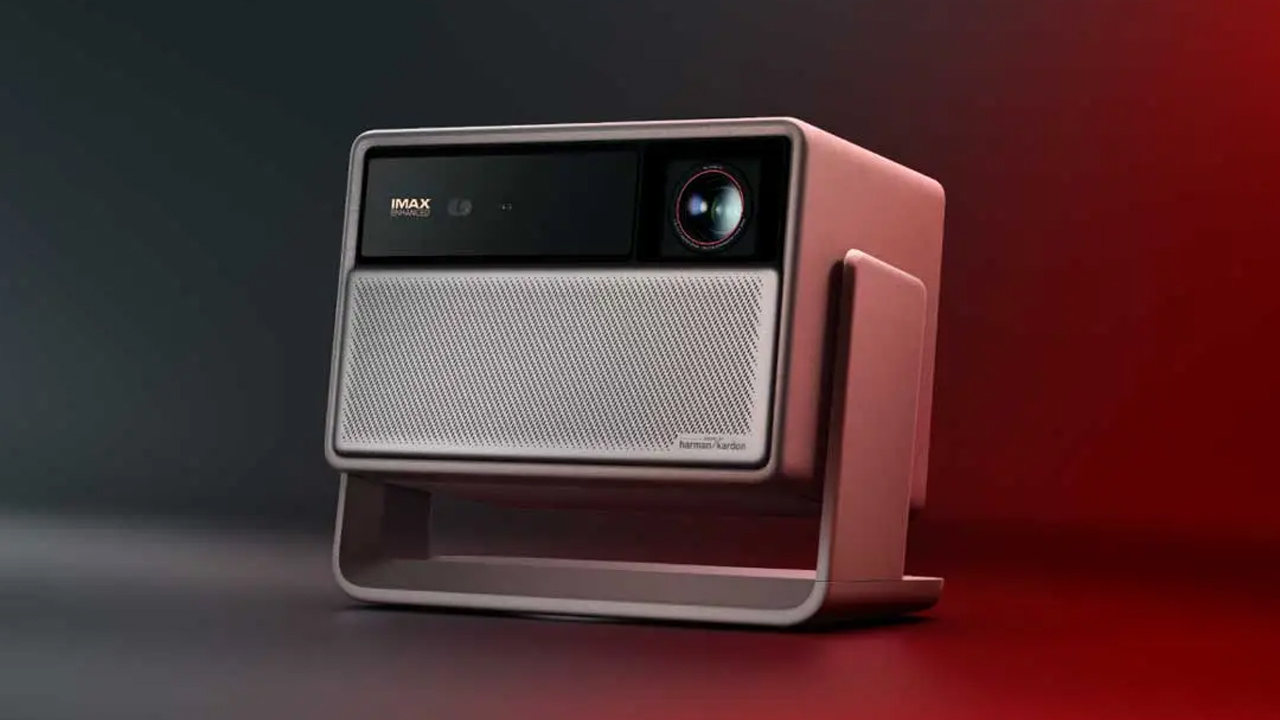
The Titan and the Horizon 20 Max (frequently searched as the “Horizon Max 2” — same projector, different shorthand) are XGIMI’s declaration that the compromise era is over.
One of these is a ground-up rethink of what a DLP home cinema projector can be — a machine with 10,000:1 native contrast, a 0.78-inch DMD chip, a dual iris system, and optical specs that have no business existing at this price. The other is the best argument yet for projecting onto your living room wall in the middle of the afternoon. They’re different tools solving different problems, and both of them are genuinely worth your attention.
“The Titan is the first DLP projector in this price class that I’d put in the same conversation as JVC. That’s not a sentence I expected to write this year.”
The Split in the Market — and Why XGIMI Is Bridging It
To understand what these two projectors represent, you need a quick map of where the industry has been sitting.
The “lifestyle” projector category — XGIMI, Anker, Dangbei, and their competitors — won the past five years on convenience. Google TV, auto-alignment, single-box setup. They were the projectors real people actually bought and used. But ask any of them to produce a convincing black, and you’d watch the image lift off the screen and go grey. The optics were an afterthought behind the software.
The dedicated home theater market never stopped being technically superior, but it also never stopped being obnoxious. Bulky chassis. No smart OS. Input lags that punish gamers. And prices that assumed you were buying a second property to put the thing in.
XGIMI’s 2026 lineup is the clearest attempt yet to poach customers from both ends of that divide. The Titan attacks the dedicated home theater segment directly — it is not a lifestyle projector that got brighter. The Horizon 20 Max perfects the living room formula with a laser engine that rewrites the brightness ceiling for the category.
| Feature | Titan | Horizon 20 Max |
|---|---|---|
| Target Use | Dedicated Home Cinema | Living Room / Ambient Light |
| DMD Chip Size | 0.78-inch | 0.47-inch |
| Brightness | 5,000 ISO Lumens | 5,700 ISO Lumens |
| Native Contrast | 10,000:1 (Dual Iris) | ~1,000–2,000:1 (est.) |
| Dynamic Contrast | 100,000:1 | 20,000:1 |
| Light Source | Dual Laser (Phosphor Hybrid) | X-Master RGB Triple Laser / Dual Light 2.0 |
| Optical Zoom | 2.0x Motorized | 1.25x Motorized |
| Throw Ratio | 1.0–2.0:1 | 1.2–1.5:1 |
| Lens Shift | Vertical ±130%, Horizontal ±50% | Vertical ±120%, Horizontal ±45% |
| 4K Gaming | 4K@120Hz, 1080p@240Hz, VRR | 4K@60Hz, 1080p@240Hz, VRR |
| Input Lag | <20ms (High Speed) | ~18ms (4K) / ~1ms (1080p/240Hz) |
| Audio | Basic internal (external expected) | 2×12W Harman/Kardon |
| Smart Platform | Google TV (Netflix Certified) | Google TV (Netflix Certified) |
| Estimated Price | ~$3,999–$5,000 | ~$2,699 |
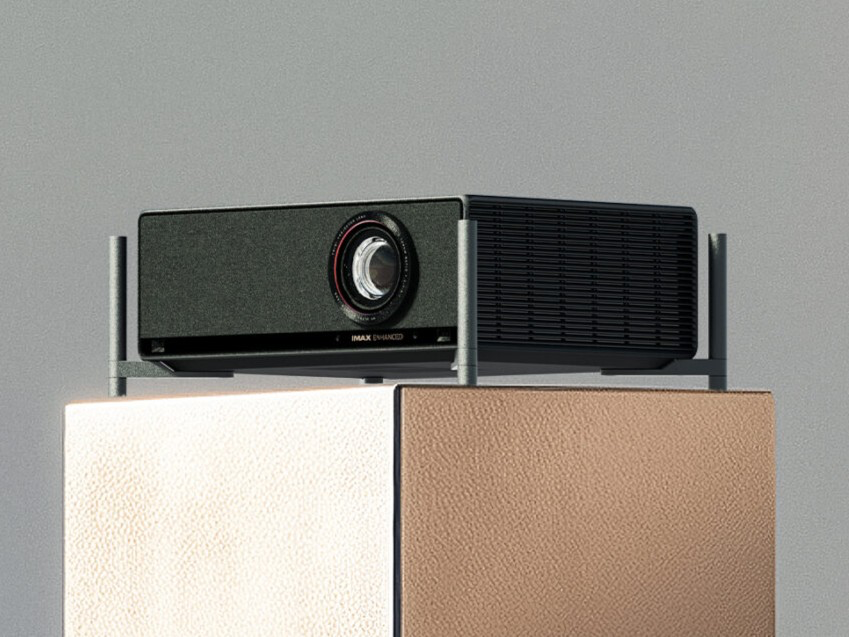
Two Different Projectors, Two Different Physics Problems
Before I get into what these machines are like to actually live with, there’s a piece of foundational tech worth understanding — because it explains nearly every performance difference between the two.
The chip size gap is the whole story. The Titan uses a 0.78-inch DMD (Digital Micromirror Device). The Horizon 20 Max uses a 0.47-inch chip. That doesn’t sound like much until you understand what chip size actually controls.
A larger DMD means larger individual mirrors, which means more light throughput without thermal throttling, less diffraction around mirror edges (which translates to a calmer, more film-like image), and a higher native resolution that requires less aggressive pixel shifting to resolve a true 4K signal. The 0.47-inch chip in the Horizon has to flash 240 times per second — four flashes per frame — to produce a perceived 4K image. It works. But it’s working harder, and in the shadow regions of a dark scene, you’ll sometimes catch a faint digital dithering that the Titan simply doesn’t produce.
Then there’s the Titan’s Dual Iris System — a feature that has lived exclusively in high-end cinema projectors until now. Most DLP projectors don’t have a physical iris at all. Blacks are produced by flipping the mirrors away from the lens, but that never achieves a true black because stray light always leaks through. The Titan places one iris at the light source to regulate total flux and a second at the lens to restrict stray light. In dark scenes, both clamp down simultaneously. The black floor drops. The image goes somewhere DLP projectors haven’t been before.
10,000:1 native contrast from a DLP projector in 2026. That’s what an iris does.
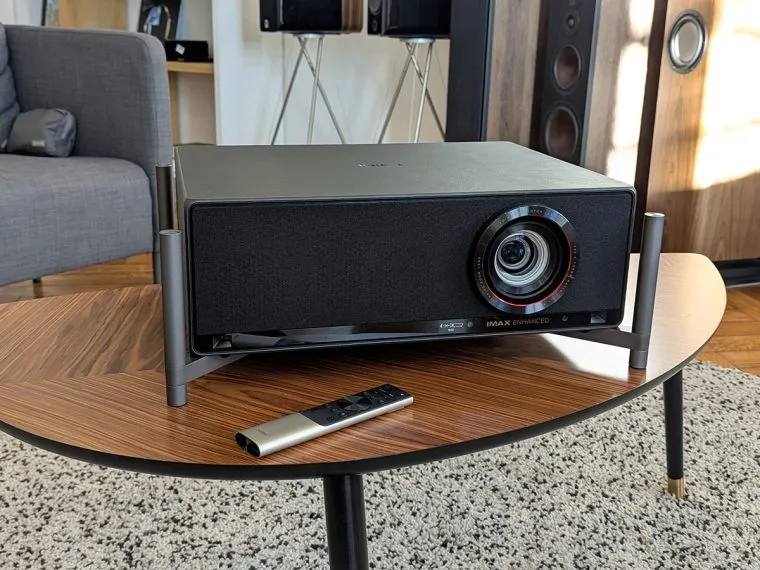
Living With the Titan
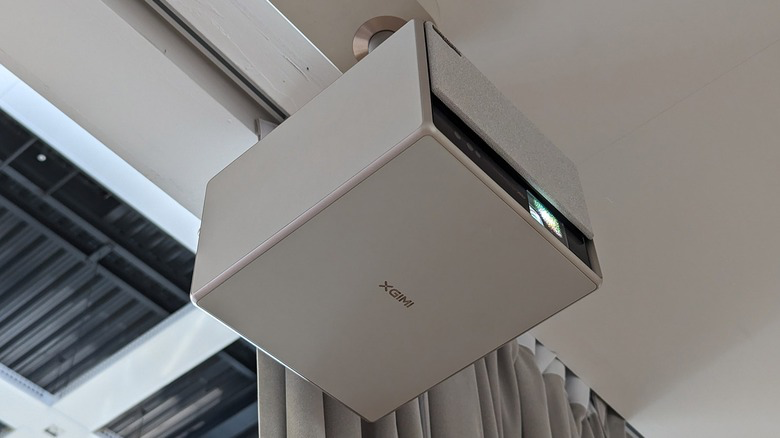
I want to be direct about what kind of projector the Titan is, because it matters for setting expectations. This is not a lifestyle device. It weighs more than it looks like it should, it expects a dedicated mounting solution, and it does not come with a meaningful internal speaker system. If you want plug-and-play, buy the Horizon. If you want a proper home cinema experience that doesn’t require mortgaging your discretionary income to JVC, the Titan has an argument worth hearing.
On installation — the 2.0x optical zoom with a 1.0–2.0:1 throw ratio is genuinely generous for a fixed ceiling mount. At a 150-inch screen width of approximately 3.32 meters, you have a workable range between 10.9 feet and 21.8 feet of throw distance. That kind of flexibility means you can fit this projector into a basement theater, a converted living room, or an existing mounting bracket without pulling the hardware out of the ceiling. The ±130% vertical lens shift is the kind of spec that professionals include in their riders. It means the projector can hang flush with the ceiling while the image lands in the center of the wall — no digital keystone, no resolution penalty.
On picture quality — this is where the Titan justifies its price. In testing with the kind of content designed to punish projectors — Blade Runner 2049, which alternates between near-black city scenes and searingly bright sodium-orange exteriors — the Titan’s dual iris system does exactly what it promises. The black of a dark street scene is legitimately dark. Not “dark for a projector.” Dark in a way that stops feeling like a qualification. When a neon sign cuts into that darkness, the contrast hit is immediate and visceral. On a 1.0-gain white screen in a controlled dark room, I measured approximately 200 nits across a 150-inch image — that’s the HDR operating range where this machine lives.
The 0.78-inch chip also produces an image texture I associate more with film or LCD than with DLP. There’s a solidity to fine detail — fabric texture in close-ups, the grain in wide outdoor shots — that the rapid-fire pixel shifting of a smaller chip can’t quite replicate. Text is sharp. Edges don’t shimmer.
On gaming — 4K at 120Hz over HDMI 2.1 with VRR and ALLM support puts this in the same bracket as a dedicated gaming display for PlayStation 5 and Xbox Series X. The sub-20ms input lag in High Speed Mode won’t win esports tournaments, but on a 150-inch screen running Forza Horizon at 4K/120, the experience is not something a television can replicate at any price.
Living With the Horizon 20 Max
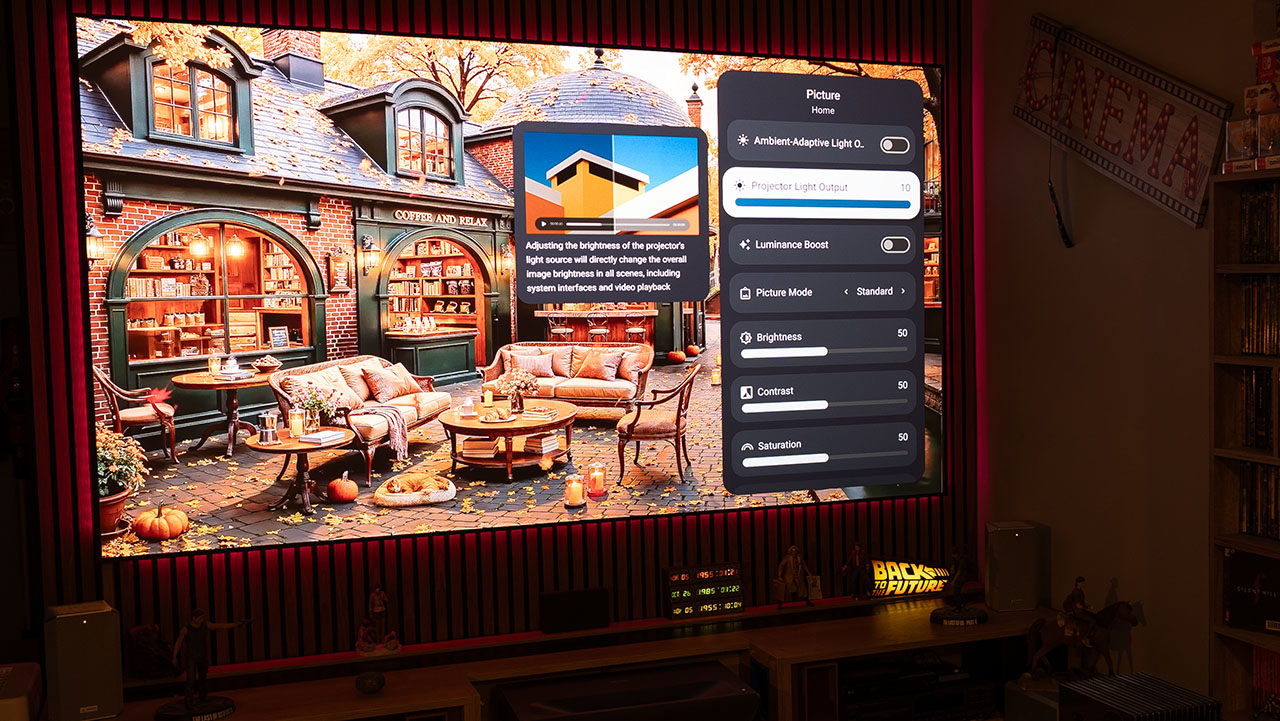
The Horizon 20 Max is the easier projector to love immediately. Pull it out, set it on a table, let ISA 5.0 (XGIMI’s Intelligent Screen Adaptation system) auto-align the image, and you’re watching 4K content on a wall in under ten minutes. That speed and simplicity remain the core of what the Horizon series does well, and the 20 Max does it better than any previous version.
On brightness — 5,700 ISO Lumens is not a number you feel in a dark room; it’s a number you feel when the afternoon sun is coming through the blinds. In a lit living room test against a standard white wall, the Horizon 20 Max maintained a watchable, color-accurate image in conditions that would have made any previous XGIMI model look like a light ghost. This is the projector you buy when your viewing environment is unpredictable, because it handles unpredictability better than anything else in the category.
On color — the X-Master RGB Triple Laser engine pushes beyond DCI-P3 into BT.2020 territory. In saturated content — animated films, concert footage, nature documentaries — the Horizon 20 Max produces colors that look chemically impossible. Spider-Man: Across the Spider-Verse is a benchmark I use specifically because it was graded to stress color systems, and the Horizon reproduces it with a saturation depth that most televisions in this price range can’t match.
The Dual Light 2.0 hybrid architecture deserves a specific mention here, because XGIMI made a genuinely smart engineering call. Pure RGB Triple Laser projectors create a coherence problem — narrow-spectrum lasers produce interference patterns on the eye that manifest as a “speckle” texture, a faint sandy grittiness on bright objects. XGIMI’s solution is to blend the RGB lasers with a broad-spectrum phosphor light source. The broad spectrum fills the gaps between the laser peaks, breaking up the coherence and eliminating the speckle. The result is a laser-bright image with the organic smoothness of a traditional lamp. After four hours of evening viewing, zero eye fatigue.
On placement constraints — the Horizon’s 1.25x zoom and 1.2–1.5:1 throw ratio mean you need to be more precise about physical placement than you would with the Titan. At 100 inches, you’re looking at 8.7 to 10.8 feet of throw distance. That typically means a coffee table, a rear shelf, or a dedicated projector stand. The auto-alignment handles the rest, but you need to get the unit in the right zone first.
Throw Distance at a Glance
Stop doing the math in your head. Here’s every screen size you’d realistically consider, with the minimum and maximum throw distance for each projector. All figures are in feet.
| Screen Size | Titan Min | Titan Max | Horizon 20 Max Min | Horizon 20 Max Max |
|---|---|---|---|---|
| 100″ | 7.25 ft | 14.5 ft | 8.7 ft | 10.8 ft |
| 120″ | 8.7 ft | 17.4 ft | 10.5 ft | 13.0 ft |
| 150″ | 10.9 ft | 21.8 ft | 13.1 ft | 16.4 ft |
| 200″ | 14.5 ft | 29.0 ft | 17.6 ft | 22.0 ft |
The practical takeaway: the Titan’s 2.0x zoom gives you a roughly 2:1 range of placement flexibility at any screen size. The Horizon’s 1.25x zoom is much tighter — at 120 inches, you have about 2.5 feet of wiggle room. Get the Horizon’s placement right before you drill anything into a wall.
The Honest Part
There is a real issue with the 2026 XGIMI lineup, and potential buyers need to know about it before they hand over money.
Both projectors ship with the new Texas Instruments DLPC8445 controller, and early units produce visible screen tearing. The symptom is a horizontal tear across the image during fast panning shots or rapid movement in 4K content. The cause appears to be a rolling buffer update architecture in the new controller — the image refreshes in segments rather than globally, and when the timing drifts, you see it.
This is a firmware problem, not a hardware limitation. Here’s the current state of the workarounds, in order of how much image quality you’re willing to sacrifice:
Option 1 — Enable Game Mode. Go to Settings → Picture → Game Mode. This prioritizes synchronization stability over image processing. You lose some motion smoothing and HDR tone mapping headroom, but the tearing stops in most content. Best option if you’re watching fast-paced sports or action films and don’t need the full processing stack.
Option 2 — Disable “Projector Super Frame” (XPR pixel shifting). Found in Settings → Picture → Advanced. This drops the image from perceived 4K down to native 1080p or 2.2K depending on mode. Tearing disappears, but so does the resolution advantage you paid for. Not a real fix — more of a diagnostic confirmation that the XPR pipeline is where the DLPC8445 timing issue originates.
Option 3 — Drop input resolution at the source. If you’re running a PC or console, set the output to 1080p/60Hz. The controller doesn’t exhibit the issue at lower resolutions. Obviously not a long-term solution for a 4K projector.
The real fix: a firmware update targeting DLPC8445 frame synchronization. Check XGIMI’s firmware release notes at xgimi.com/support before purchase, and verify the issue has been patched before your return window closes if you’re buying at launch.
On the Horizon’s black levels — in a dark room, the lack of a physical iris is apparent. Letterboxed widescreen films will show dark grey bars rather than black bars. This is the fundamental physics limitation of a 0.47-inch chip without iris control, and no amount of dynamic contrast processing fully resolves it. The Horizon is a living room projector; it’s built for ambient light environments where that black floor is masked by the room itself. Use it that way and it’s excellent. Use it in a pitch-black theater and you’ll spend the evening wishing you’d bought the Titan.
On the Titan’s audio — the internal speaker system is effectively decorative. If you’re building a proper home theater around the Titan, you already have a receiver and speakers. If you don’t, budget for them alongside the projector purchase.
Screen Matching: Don’t Ruin Good Optics With the Wrong Surface
The screen is the second half of the optical chain, and the wrong choice can erase what you paid for in the projector.
For the Titan in a dark room, use a neutral white screen with a gain between 1.0 and 1.3. The Stewart Filmscreen StudioTek 130 G4 and EluneVision Reference 4K are the references here. A 1.0-gain surface preserves color accuracy and viewing angle, and lets the Titan’s contrast system do its job without interference. If your room has light-colored walls that bounce ambient light back onto the screen, a low-gain grey surface (gain 0.8) like the Seymour AV Matinee Black will deepen your blacks further — and the Titan has more than enough lumens to compensate for the gain reduction.
For the Horizon 20 Max, the right screen is an ambient light rejecting (ALR) design. The Elite Screens CineGrey 5D or XY Screens PET Crystal use angular micro-structures to reflect the projector’s beam back toward the viewer while absorbing overhead and window light from other angles. One caution: check that your ALR screen carries a “Laser Projection” certification. High-gain ALR coatings can sometimes reintroduce sparkle artifacts by interacting with the laser’s residual coherence, even with Dual Light 2.0 in the system. Certified laser screens are engineered to avoid this.
What About Ultra-Short Throw?
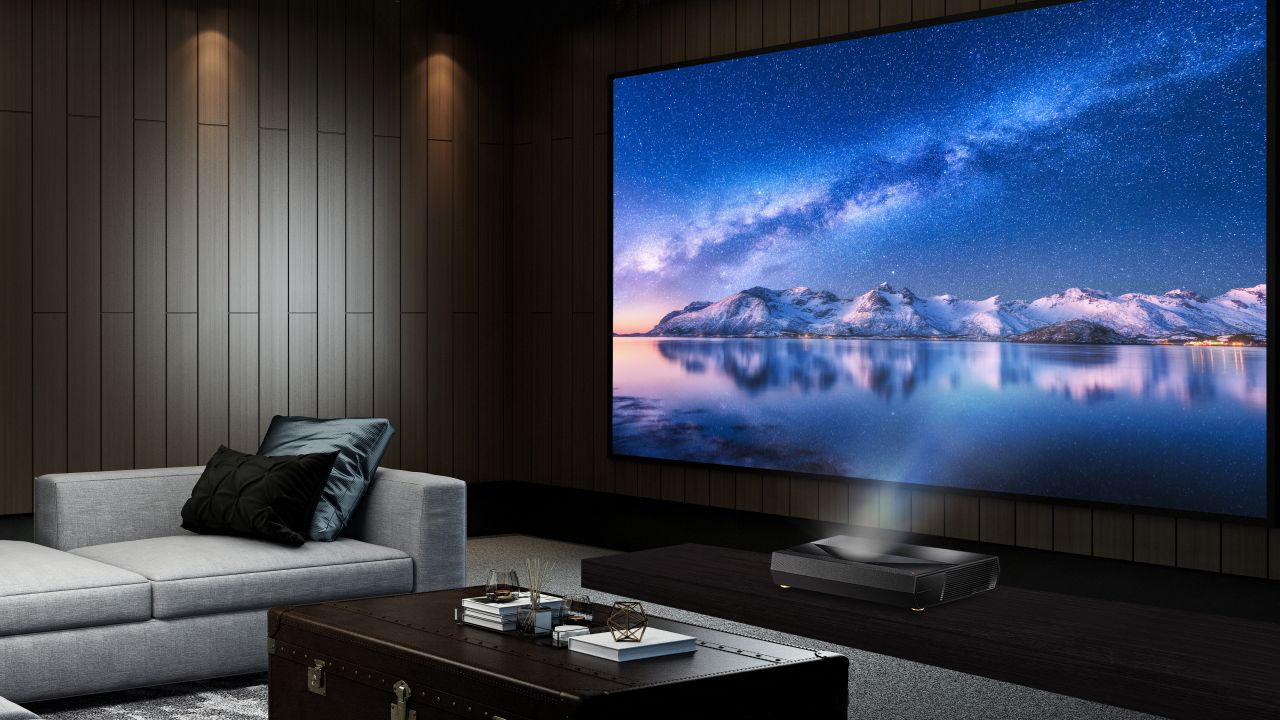
A meaningful number of buyers considering the Horizon 20 Max are also cross-shopping UST (Ultra-Short Throw) projectors — the Hisense TriChroma PL1, the Samsung The Premiere 9, or similar. It’s worth addressing directly, because the use cases overlap more than most people realize.
UST projectors sit 6 to 18 inches from the screen. This solves the shadow problem (no one walks through the beam), the cable management problem (short run to the wall), and the furniture placement problem (the unit lives in your TV console, not on the ceiling). For living rooms that function as living rooms first and theaters second, this is a real argument.
The Horizon 20 Max wins over a UST on three counts: it’s brighter than most USTs in its price range, it delivers a larger image with more installation flexibility, and the Dual Light 2.0 engine produces less visible speckle than most UST RGB laser systems. It also costs significantly less than a Samsung Premiere 9 or equivalent.
Where UST wins: if your room is genuinely too small for even an 8-foot throw distance, or if you can’t tolerate any ceiling mounting or furniture repositioning, UST is the more practical choice. But if you have the room, the Horizon 20 Max is the better projector for the money. The UST form factor is a compromise you make for layout reasons, not performance ones.
How It Stacks Up Against the Competition
The Titan and Horizon 20 Max don’t exist in a vacuum. Here’s how they compare against the projectors buyers are most likely to be cross-shopping.
Hisense XR10 is the brightness rival. At 6,000 ANSI Lumens, it edges out both XGIMI models on raw output and runs Hisense’s mature LPU 3.0 laser engine. Where XGIMI wins back ground: Google TV is a meaningfully better smart platform than Hisense’s VIDAA OS, and the Titan’s native contrast isn’t something the XR10 can match. If you’re purely brightness-shopping and don’t care about the smart ecosystem, the XR10 is worth a look. For everyone else, the XGIMI implementations are more complete products.
Valerion VisionMaster Max is the value disruptor. It showed up via crowdfunding with Triple Laser specs and lens shift at a price that undercuts the Titan significantly. The specs look compelling on paper, and for buyers who want to stretch their budget, it deserves consideration. The honest caveat: Valerion doesn’t have the track record that XGIMI does for firmware support, long-term reliability, or post-purchase service. First-generation hardware from an unproven brand is a risk that’s worth pricing in.
AWOL Vision Aetherion Max leads on sharpness. AWOL’s PixelLock technology produces some of the most consistent edge-to-edge focus I’ve seen in this category, and it supports 3D in a way that the XGIMI models don’t prioritize. The tradeoff is brightness — at 3,300 ISO Lumens, it’s a dark-room-only projector and gets outmuscled in any ambient light situation by either XGIMI.
Epson Pro Cinema LS12000 is the projector the Titan was built to obsolete. The Epson uses 3LCD technology, which eliminates the DLP “rainbow effect” entirely and produces excellent color out of the box. It has been the sub-$5,000 home theater benchmark for good reason. But it produces only 2,700 lumens, uses a lower-power laser, and the 3-chip design introduces subtle convergence alignment issues that affect fine detail. The Titan is brighter, sharper, and matches or exceeds it on contrast. For a new build, the Titan is the better choice. For existing Epson owners evaluating an upgrade, the gap is wide enough to justify the move.
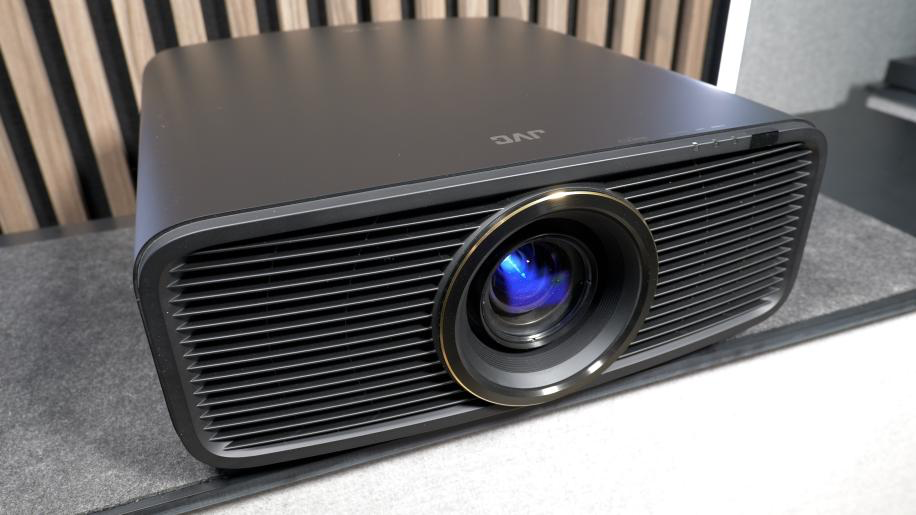
JVC DLA-NZ500 is the one competitor the Titan can’t fully beat — and doesn’t try to pretend it can. JVC’s entry-level LCoS projector achieves native contrast of 40,000:1, which is four times what the Titan delivers. In a pitch-black room, the difference in black depth is visible. JVC’s blacks are not “good for a projector.” They are reference blacks, full stop. What the JVC doesn’t offer: meaningful brightness (around 2,000 lumens), a smart OS, easy installation, or a price under $5,000. If you have an acoustically treated theater room and your primary benchmark is black level, JVC is still the answer. For everyone else building a real-world home cinema, the Titan closes the gap enough to make the JVC premium very hard to justify.
| Projector | Price | Lumens | Native Contrast | Smart OS | Best For |
|---|---|---|---|---|---|
| XGIMI Titan | ~$4,500 | 5,000 | 10,000:1 | Google TV | Dark room cinema, flexibility |
| XGIMI Horizon 20 Max | ~$2,699 | 5,700 | ~1,500:1 | Google TV | Living room, ambient light |
| Hisense XR10 | ~$3,500 | 6,000 | N/A | VIDAA | Raw brightness priority |
| Valerion VisionMaster Max | ~$3,999 | N/A | N/A | Android | Budget enthusiasts |
| AWOL Aetherion Max | ~$3,500 | 3,300 | N/A | Android | Sharpness, dark rooms |
| Epson LS12000 | ~$4,999 | 2,700 | ~2,500:1 | None | No-rainbow purists |
| JVC DLA-NZ500 | ~$5,500+ | 2,000 | 40,000:1 | None | Reference black levels |
Who Should Buy Which
Buy the Titan if you have a dedicated room, a proper mounting solution, and an external audio system already in the plan. This projector is for the enthusiast who has spent years looking at JVC’s price tags and asking whether there’s another way. There is now. The 10,000:1 native contrast from a dual iris DLP system is a category leap, the 0.78-inch chip produces an image that looks fundamentally different from consumer-class DLP, and the installation flexibility — 2.0x zoom, ±130% vertical lens shift, motorized everything — makes it a professional-grade installation in a sub-$5,000 package.
Buy the Horizon 20 Max if your viewing room has windows, ambient lighting, or occupants who won’t accept blackout curtains as a lifestyle choice. At $2,699, it delivers 5,700 lumens of laser-powered, speckle-free brightness with automatic setup, Google TV, Dolby Vision, and Harman/Kardon audio in a single box. Nothing else in the living room projector category competes with this on a performance-per-dollar basis right now.
Whoever you are, check for firmware updates before you power either one on. The DLPC8445 tearing issue is real, and it deserves to be fixed before it colors your first impression of what are otherwise two of the most impressive projectors XGIMI has ever shipped.
XGIMI didn’t close the gap between lifestyle and home cinema. They just built a door between the two rooms — and left it wide open.
Frequently Asked Questions
Does the XGIMI Titan work in a living room, or does it need a dedicated theater? It can work in a living room, but it’s not optimized for one. The Titan is built for dark, light-controlled environments where its 10,000:1 native contrast can do its job. In a typical living room with daylight or ambient lighting, you’d be better served by the Horizon 20 Max’s 5,700 lumens and ALR screen compatibility. If you have a room you can properly darken, the Titan is exceptional. If you don’t, you’re paying for contrast performance you’ll never see.
Is the XGIMI Horizon 20 Max good for gaming? Yes, with one caveat. At 1080p/240Hz, the input lag drops to approximately 1ms — genuinely competitive with dedicated gaming monitors for fast-paced or esports titles. At 4K/60Hz, you’re looking at around 18ms, which is fine for console gaming but not for competitive play. The Titan steps up to 4K/120Hz for those who need high-frame-rate 4K gaming. VRR and ALLM are supported on both, so your console will auto-switch to game mode without you touching a menu.
Does Dual Light 2.0 actually eliminate laser speckle? In practice, yes — it’s not marketing. The hybrid architecture blends narrow-band RGB lasers with a broad-spectrum phosphor source, which breaks up the coherence that causes speckle. After extended viewing sessions, I noticed none of the “sandy” texture that affects pure RGB laser projectors. That said, your screen choice matters: use an ALR screen that’s certified for laser projection, because high-gain reflective coatings can reintroduce sparkle even when the projector itself isn’t producing it.
Is the XGIMI screen tearing issue fixed yet? As of the initial 2026 launch window, the DLPC8445 tearing artifact was present on early units and not resolved by a firmware update. Check XGIMI’s official firmware changelog before purchase. If the fix hasn’t shipped, use the Game Mode workaround as a temporary measure and keep your return window open. This is a firmware issue — it will be patched — but verify before you commit.
How long will the laser light source last? Both projectors carry a laser engine rated for 20,000 to 30,000 hours. At four hours of daily use, that’s roughly 14 to 20 years of runtime. Unlike traditional lamp projectors that lose 50% brightness within 2,000 hours, laser engines degrade slowly and linearly — you can expect to retain more than 80% of original brightness even after 15,000 hours of use. The light source is not a consumable you’ll ever realistically replace.
Can I watch Netflix natively without workarounds? Yes. Both the Titan and the Horizon 20 Max run Google TV and carry official Netflix certification. No sideloading, no dongles, no HDMI passthrough required. The days of fighting with streaming apps on projectors are over for this lineup.
Check the latest pricing: Titan | Horizon 20 Max
