TL;DR: The Vernal Core3 L-Shaped Standing Desk ($810 as configured) pairs a triple-motor steel C-frame with a 397 lb weight capacity, and that combination delivers the thing most standing desks get wrong: rock-solid stability at full standing height. Assembly took me 30–45 minutes thanks to pre-installed nuts in the laminate top. The seams in the three-piece L-shaped desktop and the mid-range price are the trade-offs. If you run large monitors and have the room for a 71″ x 59″ footprint, this is the L-shaped desk I’d point you to.
[ROBB: Hero shot of the full setup — dark walnut top, black legs, 48″ OLED on the desk, standing height]
Why I Finally Tried an L-Shaped Standing Desk
I’ve reviewed a lot of standing desks on this site and over on my YouTube channel. Almost all of them shared one thing: a traditional rectangular tabletop. So when Vernal sent over the Core3, I made a deliberate choice — skip the standard configuration I already know and test the L-shaped version to find out what changes when you add that second wing of desktop.
Short answer: more than I expected. Here’s the full breakdown after building it, loading it up with a 48″ OLED, and using it every day.
Vernal Core3 L-Shaped Standing Desk Specs
| Spec | Vernal Core3 L-Shaped |
|---|---|
| Price as configured | $810 MSRP (dark walnut laminate, black legs) |
| Desktop size | 71″ across the back x 59″ return |
| Frame | Steel C-frame |
| Motors | 3 (one per leg) |
| Leg type | Three-section |
| Height range | 23.9″ to 49.4″ (25.5″ of travel) |
| Lift speed | 1.6″ per second |
| Noise | <50 dB |
| Weight capacity | 397 lbs |
| Keypad | LED display, 6 silicone buttons, 3 memory presets |
| Safety/extras | Anti-collision retraction, child lock, auto sleep, height limits, sit-stand timer |
| Returns / warranty | 30-day returns, 15-year warranty |
My review unit also came specced with the matching two-drawer cabinet, the under-desk pull-out drawer, and the over-the-top desk shelf — more on those accessories below.
Assembly: 30 to 45 Minutes, One Wrench
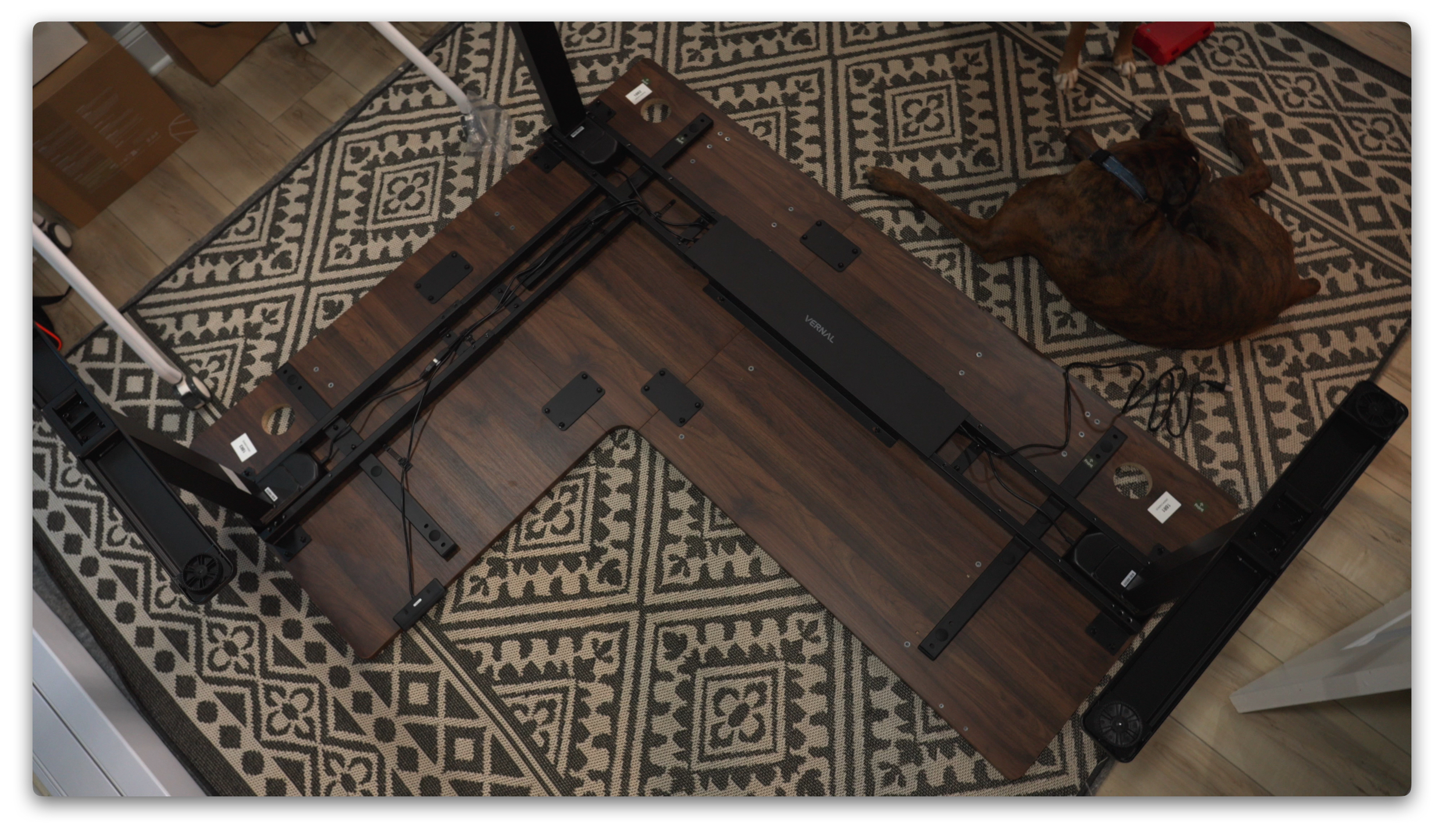
This is one of the easier standing desk builds I’ve done, and the laminate top is the reason. Vernal pre-installs the threaded nuts in the desktop, so every component lines up and bolts straight in. No drilling pilot holes, no guessing at alignment. Even while filming the build and getting distracted by the dogs, I finished in 30 to 45 minutes. If you can turn a wrench, you can assemble this desk.
One real recommendation: grab a second person for the flip. You’re dealing with a large L-shaped top and three motorized legs, and that final rotation is genuinely a two-man job.
[ROBB: Photo of the pre-installed nuts on the underside of the desktop + one build-in-progress shot]
Wire Management
Vernal offers a $50 wire management tray, but I skipped it. I run low-profile server rack plastic runners under all my desks instead — they completely hide the cabling in a way trays don’t. I’ve covered that exact setup in a previous video.
Daily Performance: Stability Is the Whole Story
Three Motors and a 397 lb Capacity
Here’s my standing desk philosophy after testing this many of them: you don’t buy high weight capacity because you plan to load 397 lbs onto the desk. You buy it because capacity is a proxy for stability at standing height.
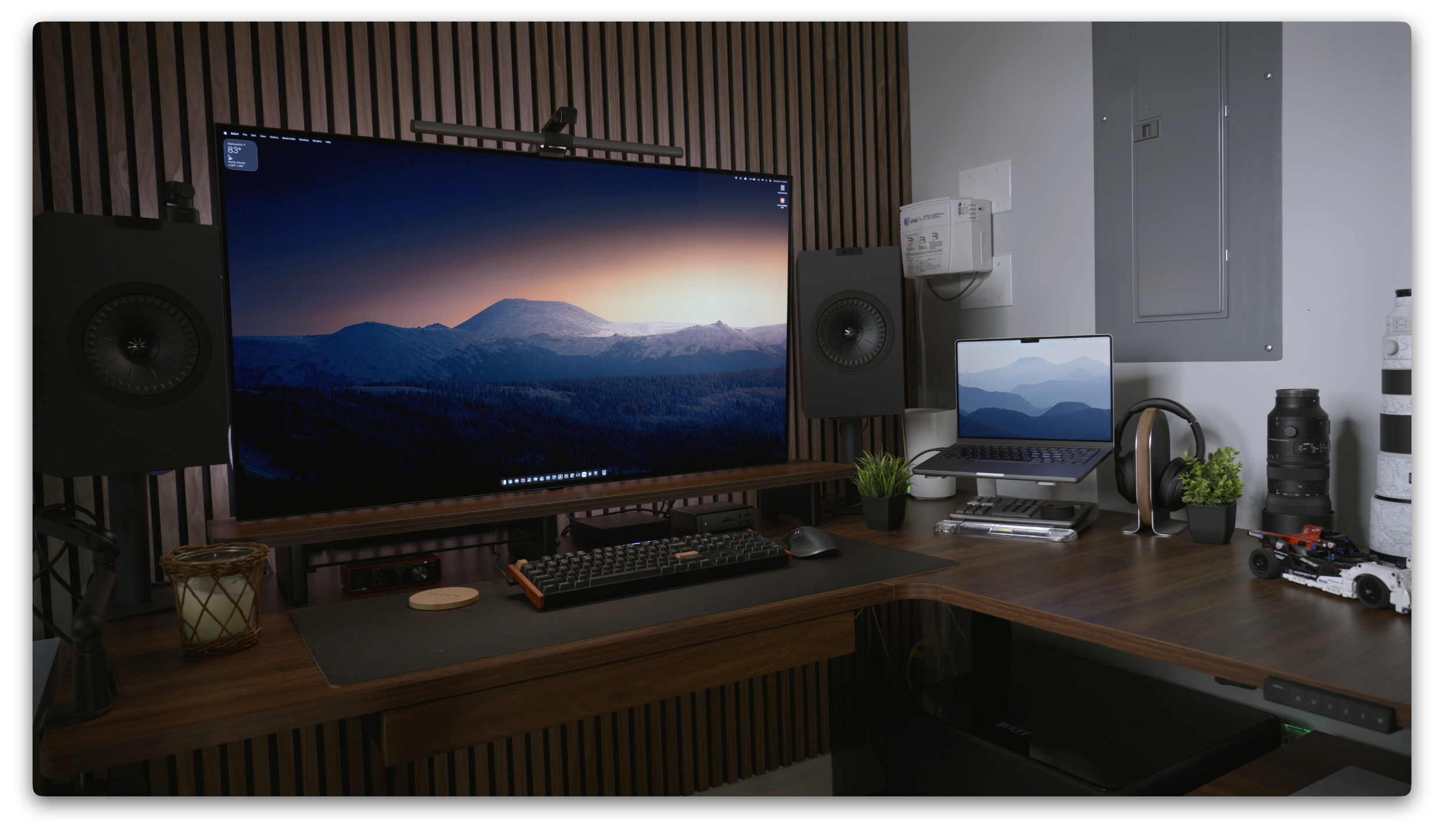
I run big monitors — a 48″ OLED in this office, an ultrawide in the other. When a desk wobbles at max height, those monitors amplify every bit of movement. The Core3’s triple-motor setup and beefy frame keep the desktop planted whether I’m sitting or standing at 49″. That’s exactly what the cheaper Amazon desks give up.
[ROBB: Short clip or GIF — desk at max height with the 48″ OLED, showing how little it moves with a firm shake]
Quiet, Quick Height Changes
The 1.6″ per second lift speed is plenty for sit-to-stand transitions, and even with three motors running, the desk stays under 50 dB. In practice that means I raise and lower the desk in the middle of calls without anyone noticing. The anti-collision retraction, child lock, and three memory presets all work exactly as they should — set your sitting and standing heights once and forget the rest.
The Keypad Sits Flush
Small detail I appreciated: unlike several desks I’ve tested, the Core3’s keypad tucks up nearly flush under the desktop instead of hanging down. It’s not a functional difference, but the front edge of the desk looks noticeably cleaner.
[ROBB: Close-up photo of the keypad from the front edge]
The Pull-Out Drawer I Didn’t Know I Missed
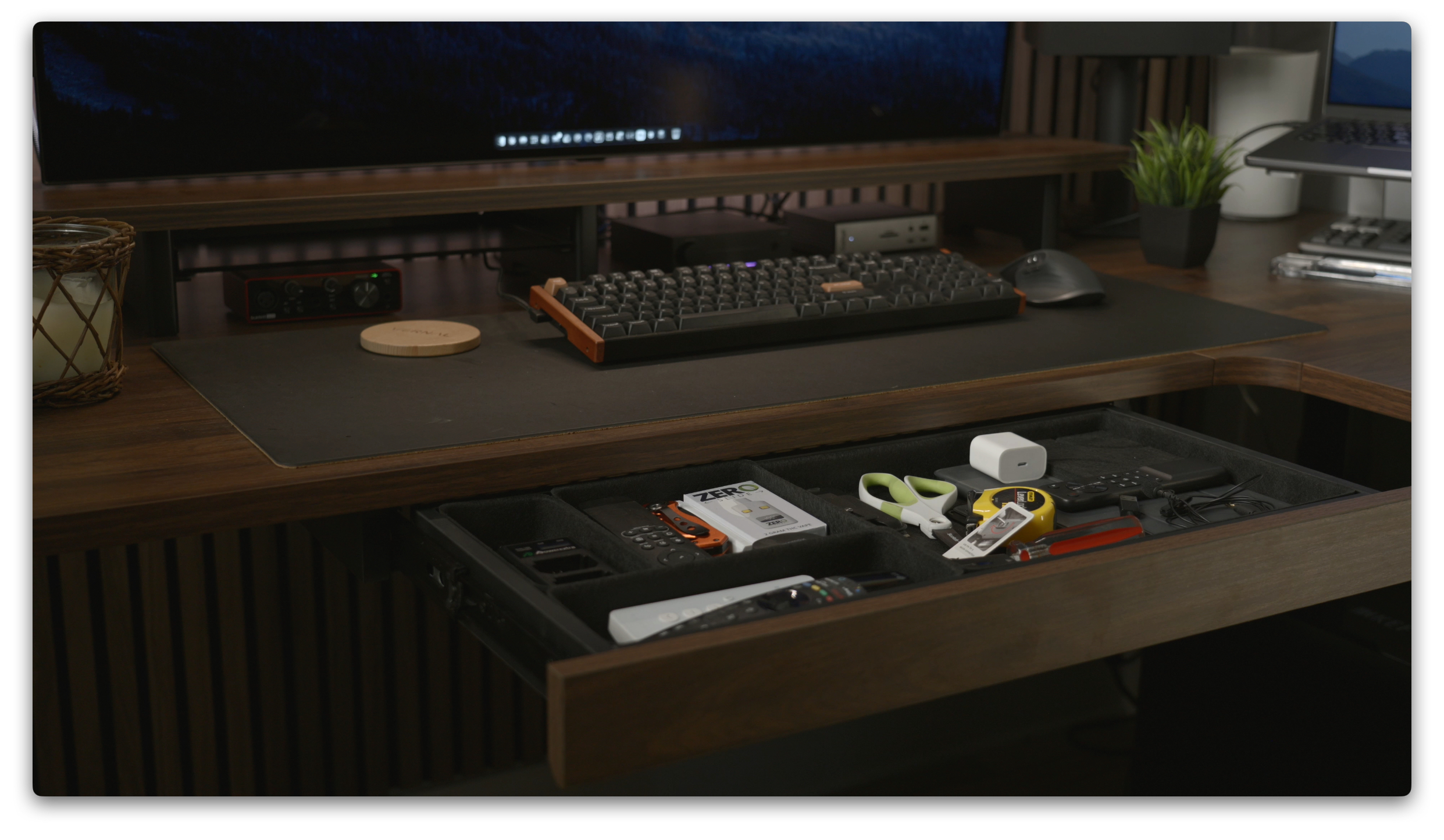
Standing desks almost never have drawers, and I forgot how useful one is. Because the mounting nuts are already in the desktop, installing Vernal’s pull-out drawer is literally four bolts. Now the stuff I reach for every day lives right under the desktop instead of scattered across it.
One honest caveat: the drawer lowers your effective knee clearance, which matters at sitting height. Factor that in if you’re tall or run a thick chair-arm setup.
[ROBB: Photo of the open pull-out drawer with your everyday carry items in it]
L-Shaped vs Standard Standing Desk: What Actually Changes
This was the real experiment, and I’m glad I ran it. Large monitors give you incredible screen real estate, but they eat your entire desktop. On a standard rectangular desk, my 48″ OLED left me almost no working surface.
The L-shape solves that. The main run holds the monitor setup, and the 59″ return gives me back a full conventional worktop for writing, product photography staging, and whatever project is currently in pieces. You get the standing desk features and the desk space — you’re not choosing anymore.
In my office, the right-handed layout runs 71″ across the back wall and the return lands right at the door. It fits this room almost perfectly. Which leads directly into the biggest caveat…
[ROBB: Wide shot showing how the return meets the doorway — good visual for the space-planning point]
What Could Be Better
1. The Price
$810 is real money, and Amazon will happily sell you an L-shaped standing desk for a lot less. I own one of those Amazon specials in another office, so I can tell you where the savings come from: stability degrades over time, and the motors aren’t as reliable. If you plan to actually stand at your desk for extended stretches, the cheap desk tax comes due eventually. The Core3 sits in the mid-range for a reason.
[INTERNAL LINK: budget vs premium standing desk comparison post]
2. Seams in the Laminate Top
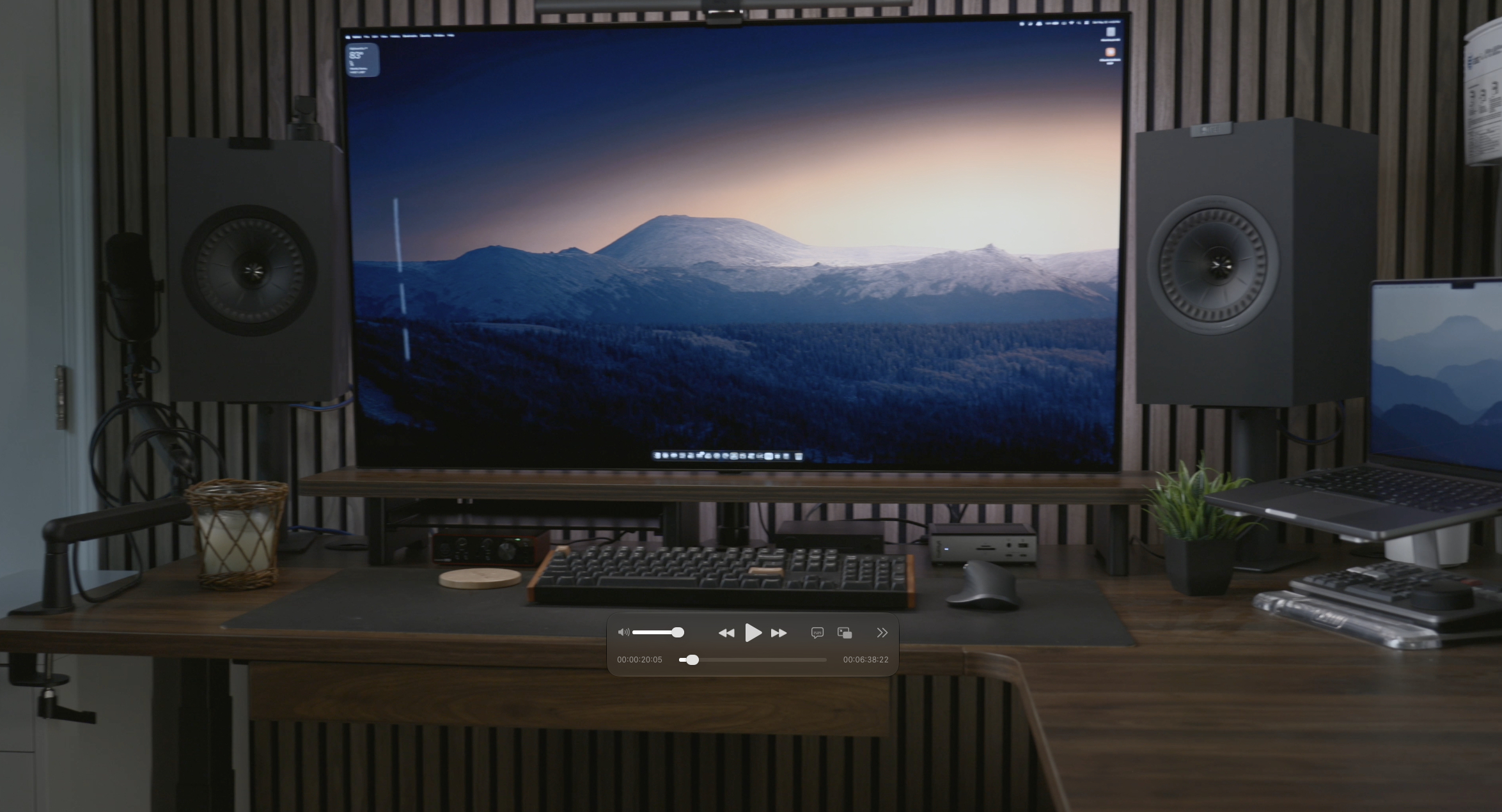
This one’s a material reality, not a Vernal flaw: laminate L-shaped desktops ship in three pieces — side, corner, and return. Assembled, you’ll see the seams running across the top where the sections meet. Coming from a one-piece rectangular top or a hardwood slab, it’s the first thing you’ll notice. It never affected function, but it’s there.
[ROBB: Honest close-up photo of a desktop seam]
3. You Need the Room
71″ x 59″ is a serious footprint. I got lucky — the right-handed configuration fits my office to the inch. Measure your space before you fall in love with the L-shape, because if the room doesn’t accommodate it, this isn’t the desk for you.
The Accessory Ecosystem Is a Quiet Win
Ordering the two-drawer cabinet, pull-out drawer, and desk shelf directly from Vernal means everything matches — same finish, same fit, designed for this desktop. Third-party accessories always land slightly off. These complete the look, and the pre-installed mounting points mean each one installs in minutes.
[ROBB: Photo of the matching cabinet and desk shelf in place]
Vernal Core3 L-Shaped: Pros and Cons
Pros
- Excellent stability at full standing height, even with a 48″ monitor on top
- Triple motors, quiet operation under 50 dB — usable mid-call
- Fast, simple assembly with pre-installed nuts (30–45 minutes)
- Flush-mounted keypad with three memory presets
- Matching accessory ecosystem (cabinet, drawer, shelf) that bolts right in
- 397 lb capacity, 25.5″ of height travel
- 15-year warranty and 30-day return window
Cons
- $810 as configured — budget Amazon alternatives cost far less up front
- Visible seams where the three laminate desktop sections meet
- Large footprint demands a room that can actually fit it
- Pull-out drawer reduces knee clearance at sitting height
Who Should Buy the Vernal Core3 L-Shaped Standing Desk
Buy it if you run large monitors or an ultrawide and you’re tired of choosing between screen real estate and workspace. Buy it if you actually stand at your desk and want the stability that makes standing sustainable. Skip it if your room can’t fit the footprint, or if a basic sit-stand desk for occasional use is all you need — the budget options exist for that buyer.
[AFFILIATE LINK: Vernal Core3 L-Shaped Standing Desk — direct from Vernal]
Frequently Asked Questions
How much weight can the Vernal Core3 L-shaped desk hold?
The Core3 supports up to 397 lbs. In daily use, that capacity translates to a desktop that stays stable at full standing height, even loaded with large monitors.
What is the height range of the Vernal Core3?
The three-section legs adjust from 23.9″ to 49.4″ — 25.5″ of total vertical travel — at 1.6″ per second.
How long does the Vernal Core3 take to assemble?
I finished in 30 to 45 minutes with basic hand tools. The desktop ships with pre-installed nuts, so every component bolts straight in. Plan on a second person to help flip the assembled desk upright.
Is the Vernal Core3 quiet enough to adjust during calls?
Yes. All three motors together run under 50 dB. I move the desk up and down during video calls without it being a distraction.
Does the Vernal Core3 come with a warranty?
Vernal backs the Core3 with a 15-year warranty and a 30-day return period.
Is an L-shaped standing desk worth it over a standard one?
If you use large monitors, yes. The L-shape gives you a dedicated monitor run plus a full open worktop on the return — space a standard desk sacrifices to the screens. The trade-offs are footprint and, on laminate tops, visible seams between the three desktop sections.
What’s your experience with standing desks — and have you considered going L-shaped? Drop your setup in the comments.