The “Gadget” Trap: Most homes today are not “smart”—they are just cluttered. You have an app for your doorbell, another for your thermostat, and a third for your lights. None of them talk to each other. If your fire alarm goes off, your lights should turn on and your doors should unlock automatically. If they don’t, you don’t have a smart home; you have a collection of toys.
In 2026, smart home security has matured. The conversation has shifted from “Look what this cool gadget can do” to “How does this ecosystem protect my family and my data?” We are now dealing with Matter integration, AI-driven threat detection, and the critical resurgence of local video storage.
This guide is your roadmap to building a cohesive, unified security fortress. We will bypass the cheap toys and focus on the systems that offer true automation, reliability, and privacy.
Phase 1: Choosing Your “Brain” (The Ecosystem War)
Before buying a camera, you must choose your allegiance. Mixing ecosystems leads to fragmentation. In 2026, there are three primary paths for the serious homeowner.
| Ecosystem | Best For | Privacy Rating | Pros/Cons |
|---|---|---|---|
| Apple HomeKit | iPhone Users & Privacy Hawks | High (Encrypted Video) | + Seamless UI, Local processing. – Fewer compatible devices (though Matter helps). |
| Google Home | Android Users & AI Lovers | Medium | + Best AI object detection. – Google mines data; heavy cloud reliance. |
| Ubiquiti (UniFi) | Tech Enthusiasts / Prosumers | Highest (100% Local) | + No monthly fees, 24/7 recording. – High upfront hardware cost. |
The “Matter” Standard Explained: 2026 is the year of Matter. This is the universal language that lets a Google thermostat talk to an Apple HomePod. When buying sensors or locks, look for the “Matter” logo. It ensures your device won’t become e-waste if you switch phones next year.
Phase 2: The Infrastructure (It All Starts with WiFi)
You cannot run four 4K security cameras on the router your ISP gave you for free in 2020. It will choke. Security cameras require high upstream bandwidth. If your WiFi drops, your security is gone.
The Solution: Tri-Band Mesh WiFi 7
You need a Mesh system. This places multiple “nodes” around your house to create a blanket of coverage. Crucially, look for WiFi 6E or WiFi 7 capability.
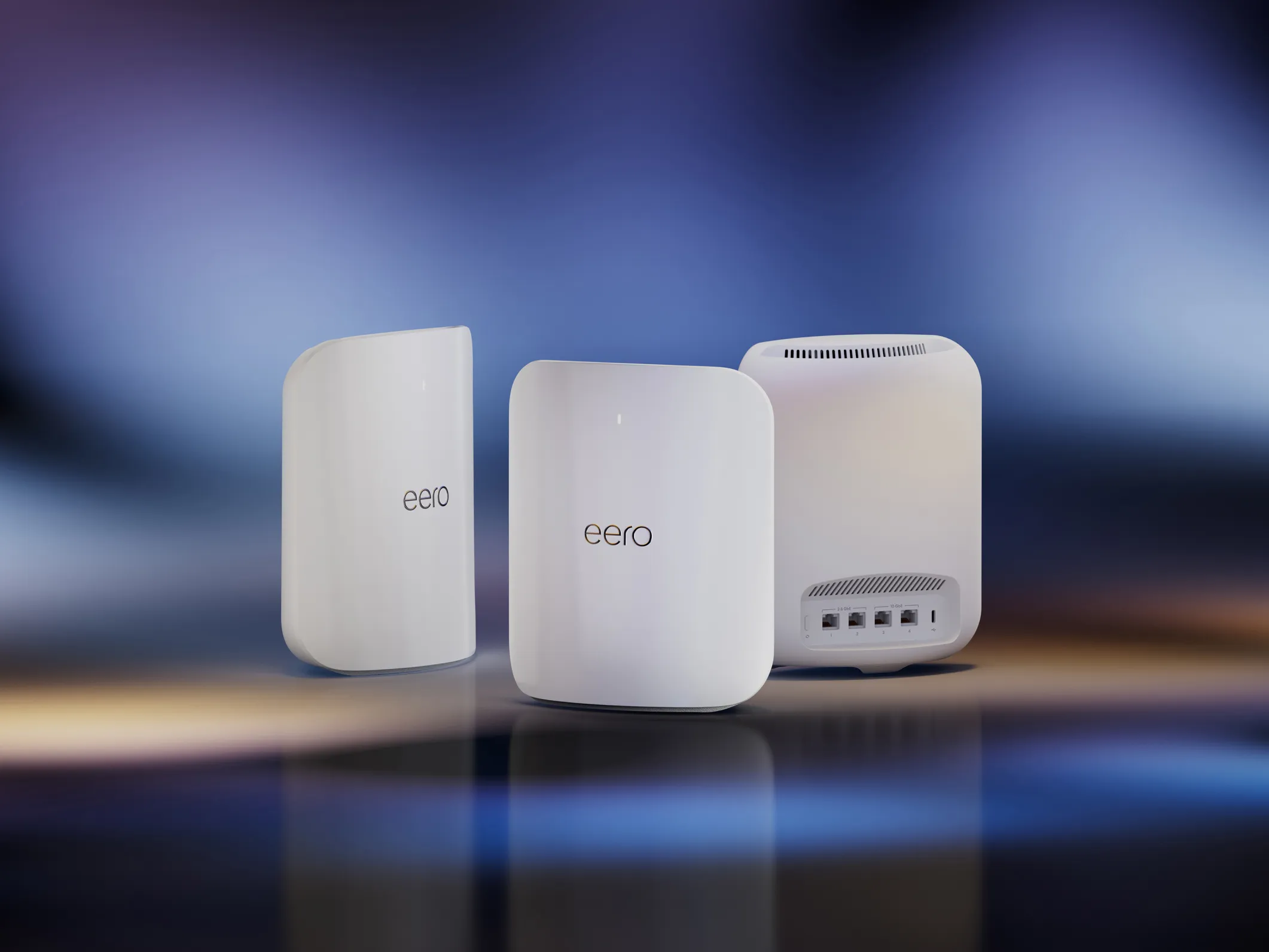
Top Pick: Eero Pro 6E Mesh System
Amazon’s Eero is the “set it and forget it” king. The Pro 6E uses a dedicated 6GHz band for “backhaul” (communication between nodes), meaning your cameras won’t slow down your Netflix streaming. It integrates perfectly with Alexa and also supports HomeKit Secure Router features.Check Price on Amazon
Phase 3: The Eyes (Cameras & Video Doorbells)
Here is the divide: Cloud Subscription vs. Local Storage.
Option A: The Privacy-First Choice (Eufy / HomeKit)
If you hate monthly fees and don’t want video clips of your family on a server in a different country, go with Eufy or Aqara.
EufyCam S330 (Eufy 3) – 4K Solar
This is the game changer. It features Face Recognition (it knows the difference between “UPS Driver” and “Stranger”) and Built-in Solar Panels so you never charge it. Best of all? It records to a “HomeBase 3” hard drive inside your house. No monthly fees. Zero.
• Resolution: 4K (Ultra HD)
• Power: Forever Power (Solar)
• Storage: Local 1TB Expandable
Option B: The Ecosystem Choice (Logitech / Starling)
For Apple users, HomeKit Secure Video (HKSV) is vital. It uses your iCloud plan to store video, analyzing it locally on your Apple TV hub. The Logitech Circle View remains the gold standard for native Apple integration.
Phase 4: Access Control (Smart Locks)
A smart lock is not about being lazy; it’s about access management. You can give a temporary code to the dog walker that works only between 12 PM and 2 PM.
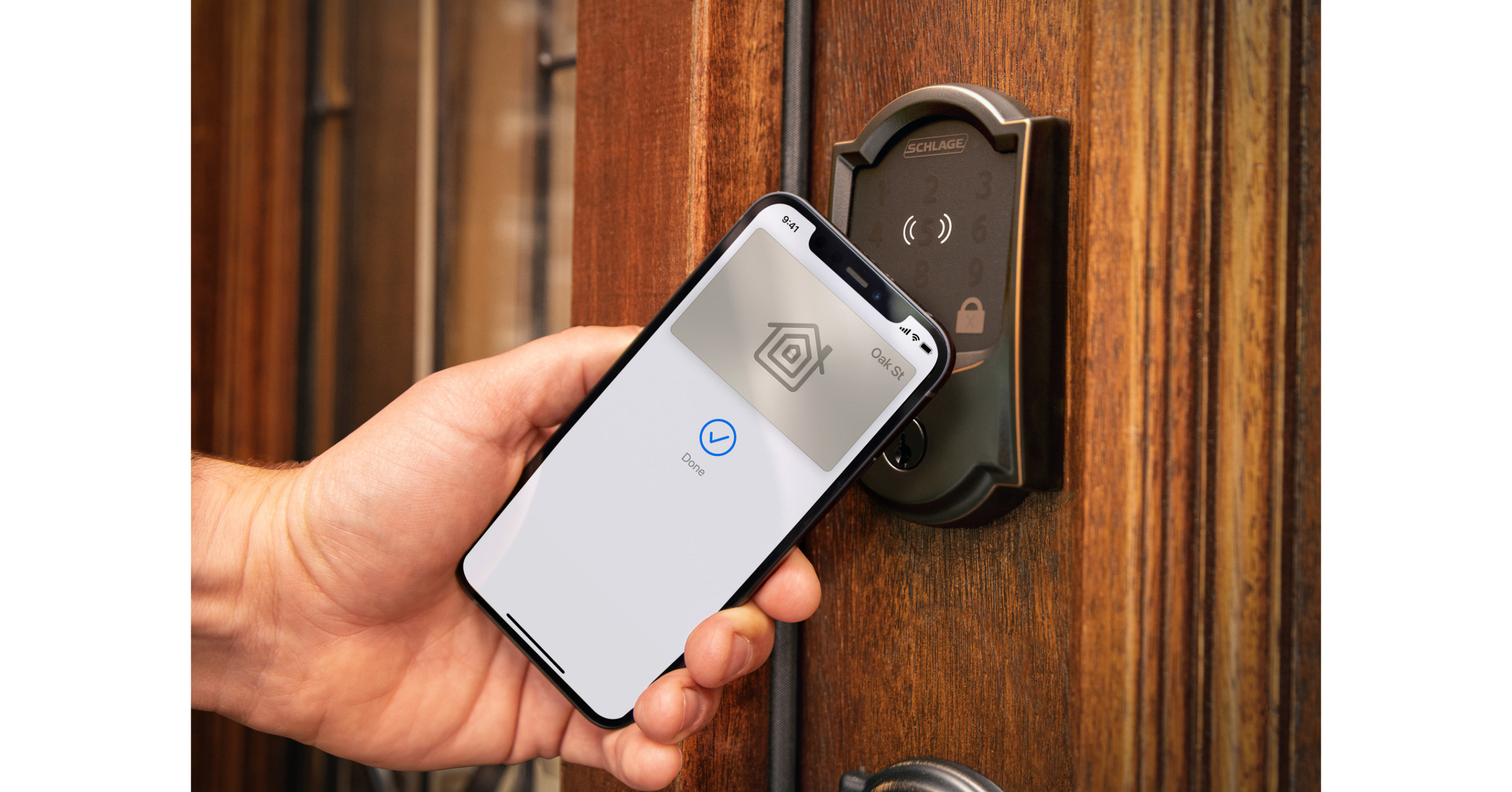
The Best All-Rounder: Schlage Encode Plus
This is the lock that supports Apple Home Key. You simply tap your iPhone or Apple Watch to the deadbolt, and it unlocks (even if your phone battery is dead). It uses WiFi (no hub needed) and has the highest ANSI Grade 1 security rating against brute force kicks. Check Price on Amazon
The Renter Friendly: August Wi-Fi Smart Lock (4th Gen)
If you can’t change your exterior hardware/keys, get the August. It replaces only the interior thumb-turn. From the outside, your door looks normal and uses your original key. Inside, it’s a robot. Check Price on Amazon
Deep Dive: The Latency Test (Cloud vs. Local)
Why does “Local Storage” matter beyond privacy? Speed. When someone presses your doorbell, you want your phone to ring instantly, not 5 seconds later.
| System Type | Notification Speed | Live View Load Time |
|---|---|---|
| Cloud (Ring/Nest) | 3 – 6 Seconds | 4 – 8 Seconds (Buffers) |
| Local (Eufy/Ubiquiti) | < 1 Second | Instant |
Real world translation: With a cloud camera, the delivery driver is often walking away by the time your video loads. With local storage, you catch them at the door.
Phase 5: The “Prosumer” Path (Ubiquiti UniFi Protect)
If you own your home, are comfortable running ethernet cables, and want a system that rivals casinos, skip everything above and go Ubiquiti.
- NVR (Network Video Recorder): You buy a “Dream Machine” that records 24/7 to a hard drive you own.
- PoE (Power over Ethernet): The cameras are powered by the ethernet cable. No batteries to change. No WiFi signals to jam.
- Quality: The video bitrate is significantly higher than Ring or Nest because it doesn’t have to be compressed for the cloud.
Ubiquiti UniFi Protect G5 Series
The G5 Bullet and G5 Dome offer incredible AI detection for cars, people, and animals, with instant scrolling through timeline footage. Check Ubiquiti Availability
Phase 6: Privacy Policy Decoder
Before you install these devices, you need to know who is watching.
- Ring (Amazon): Historically has shared footage with law enforcement without warrants (though policies are tightening). Your video is on Amazon servers.
- Nest (Google): Uses facial recognition data to improve AI models. Highly secure, but you are part of the Google data machine.
- HomeKit (Apple): End-to-End Encrypted. Apple cannot see your video even if they wanted to. It is the only “Big Tech” option that guarantees zero-knowledge privacy.
Final Verdict
For the best balance of ease, power, and privacy in 2026:
1. The Hub: Use your Apple TV (HomeKit) or Echo Show 15.
2. The Cameras: EufyCam S330 (for the 4K local storage).
3. The Lock: Schlage Encode Plus.
This setup gives you “forever power,” no monthly fees, and military-grade encryption.